Wireless CarPlay Adapter Compatibility: Check Your Head Unit First
Wireless CarPlay adapter compatibility explained for 2026: which factory head units actually work, which model years don't, and the dongles least likely to drop.
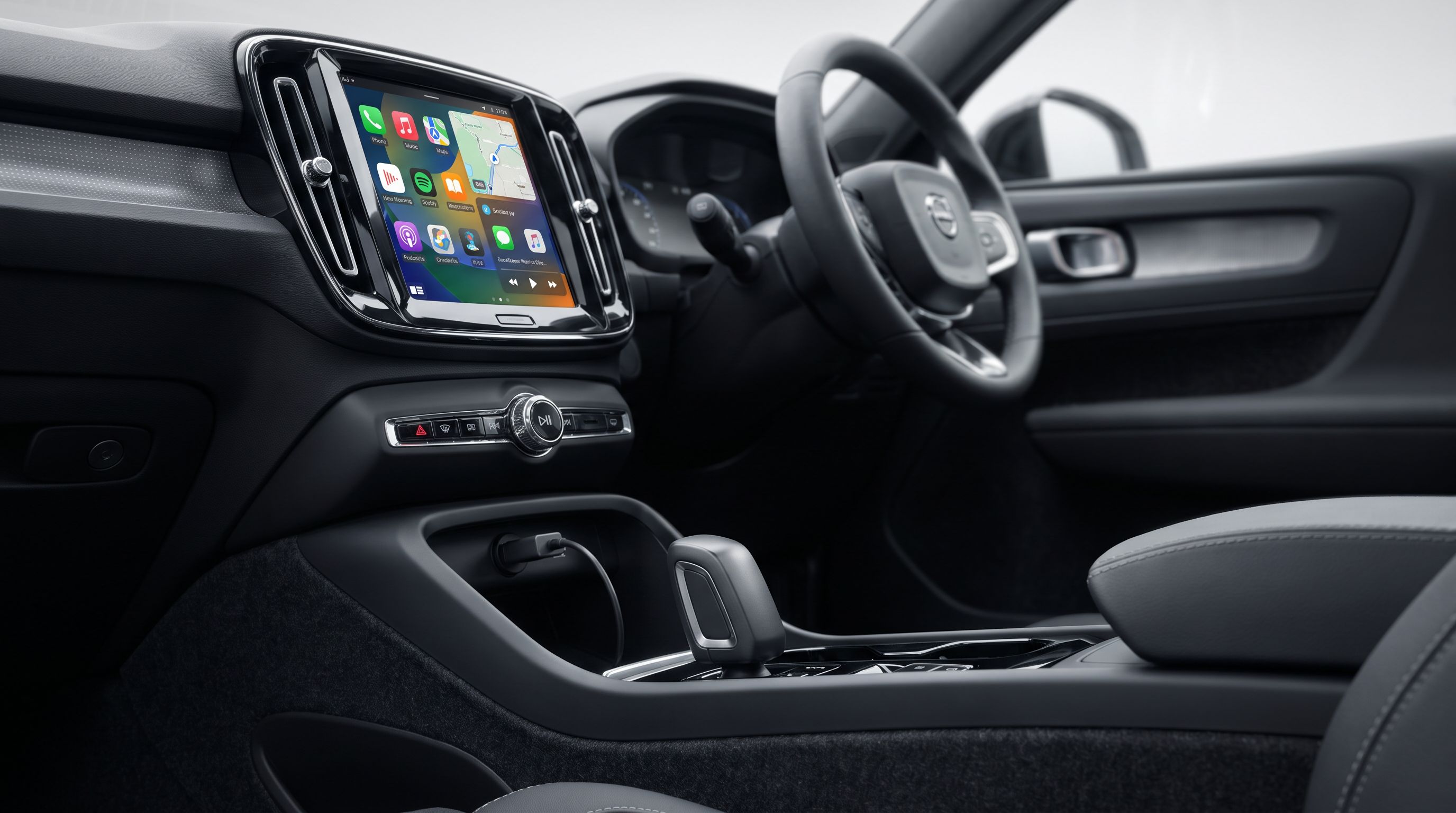
Reader-supported: we may earn a commission from links on this page, at no extra cost to you. It never affects our picks. Learn more.
There is one rule that decides whether a wireless CarPlay adapter is a $60 upgrade or a $60 paperweight: your car must already have factory wired CarPlay. Not "a touchscreen." Not "Bluetooth audio." Not "a USB port." Wired CarPlay, built in, working today with a cable.
That single requirement eliminates more buyers than any other spec, and it is the reason the review sections for these dongles are full of one-star posts from people whose 2014 crossover was never going to work. This guide is compatibility-first: how to verify your head unit in two minutes, which systems are known to be fussy, and which adapters owners report as stable versus drop-prone — based on manufacturer documentation, independent reviews, and aggregated owner feedback rather than our own bench testing.
The short version
- Best overall: AAWireless Two+
- Best for CarPlay-only buyers: CarlinKit 5.0 (2air)
- Best ultra-compact pick: Ottocast U2-Air Pro
- Best Android-Auto-only option: Motorola MA1
- Best for multi-car / multi-phone households: CarlinKit CPC200-CP2A (A2A)
 Best for multi-car households · CarlinKit CPC200-CP2A — Check price on Amazon →
 Best Android-Auto-only option · Motorola MA1 — Check price on Amazon →
 Best ultra-compact pick · Ottocast U2-Air Pro — Check price on Amazon →
 Best overall · AAWireless Two+ — Check price on Amazon →
First: does your car actually support this?
The two-minute check
- Plug your phone into the car's data USB port with a known-good cable.
- If the factory screen launches CarPlay (or Android Auto), you have the prerequisite. Good.
- If nothing happens, look in the infotainment settings for a "CarPlay," "Smartphone Link," "Apple CarPlay," or "Projection" menu. If there is no such menu anywhere, a dongle cannot create one.
A wireless adapter does not add CarPlay. It impersonates a wired iPhone over USB, then rebroadcasts the session to your real phone over its own Wi-Fi hotspot plus Bluetooth handshake. No wired CarPlay in the head unit, no session to impersonate.
Systems that are usually fine
Most factory wired-CarPlay implementations from roughly 2017 onward behave well: Toyota Entune 3.0 and the newer Audio Multimedia systems, Honda's Display Audio (2018+), Mazda Connect with the CarPlay retrofit or factory fitment, Hyundai/Kia's 8-inch and 10.25-inch units, Ford SYNC 3 and SYNC 4, Chevrolet/GMC Infotainment 3, VW MIB2/MIB3 (App-Connect), Subaru Starlink, and Nissan NissanConnect.
Systems where buyers run into trouble
- Cars with factory wireless CarPlay already (many BMW iDrive 6/7/8, newer Mercedes MBUX, 2021+ Ford SYNC 4, GM units with wireless projection). You don't need an adapter, and installing one is often a downgrade. The exception: people who want to run Android Auto on a car that only does wireless CarPlay, or vice versa — and even then, support is hit or miss.
- Mazda Connect retrofits. Some retrofit modules are picky about the USB hub and the port used. Owners frequently report needing the specific factory CarPlay port, not a center-console accessory port.
- Lexus/Toyota units that require the phone to be "registered." Some older Entune builds re-prompt for permission every ignition cycle, which the dongle can't always dismiss cleanly.
- Vehicles with a powered USB hub or a USB-C-only port. Many adapters ship USB-A and rely on the port's data lines. Adapters behind a hub, or on charge-only ports, fail intermittently.
- Porsche PCM, older Volvo Sensus, and some Stellantis Uconnect 4 builds show up repeatedly in "works for a week then drops" threads. Not universal, but worth searching your exact model-year forum before buying.
Check fitment for your year, make and model
Compatibility is decided by the head unit's software build, not the badge on the hood. Before you buy:
- Look up your VIN-specific build sheet or window sticker to confirm CarPlay was an installed option (it was frequently trim-dependent).
- Search your model-year owners' forum or subreddit for the adapter name — e.g. "CarlinKit 2024 Outback" — and read the complaints, not the praise.
- Buy from a seller with a straightforward returns window. Even "supported" vehicles occasionally need a firmware update from the adapter maker before they behave.
How to choose
1. Protocol: CarPlay-only, Android-Auto-only, or both
Dual-protocol adapters (AAWireless Two+, CarlinKit 5.0) cost more and carry more firmware complexity. If your household is all-iPhone, a CarPlay-only unit is simpler and often more stable. If you're Android-only and your car supports wired Android Auto, the Motorola MA1 remains the purpose-built answer. Buying "both" for a one-phone household just gives you more code paths that can break.
2. Reconnect time and drop behaviour
This is the metric that matters daily. A good adapter connects within roughly 10–30 seconds of ignition; sluggish ones take a minute or ask you to re-select the device. Drops usually come from one of three places: Wi-Fi band congestion (5 GHz is strongly preferred), the phone aggressively sleeping Bluetooth, or a dongle running hot in direct sun on a dash-mounted port. Look for adapters that reconnect automatically after a brief stop at a petrol station, not just after a full restart.
3. Firmware support and the app
Hardware here is largely commoditised; firmware is the differentiator. AAWireless has a well-regarded companion app with per-car settings, band selection and update history. CarlinKit and Ottocast update via app or Wi-Fi portal, with more variable cadence. An adapter nobody patches is an adapter that breaks when iOS or Android ships a new release.
4. Form factor, port type and heat
Small dongles that sit flush in the port are tidy but trap heat and can be awkward to remove. Pigtail-style units with a short cable let you tuck the body into the console, which usually runs cooler and lets you reach the reset button. Confirm the connector: USB-A versus USB-C matters, and adapters used through an extension or hub are a common failure story.
5. Extras you probably don't need
Some adapters now bundle Android OS "boxes" that stream Netflix or YouTube onto the car screen. These are a different product class: heavier, hotter, slower to boot, and far more prone to flaky projection. If your goal is "CarPlay without the cable," buy a plain adapter.
Comparison
| Adapter | Protocols | Form factor | Best for | Main trade-off |
|---|---|---|---|---|
| AAWireless Two+ | CarPlay + Android Auto | Pigtail body, tuckable | Mixed-phone households, finicky head units | Costs more than single-protocol dongles |
| CarlinKit 5.0 (2air) | CarPlay + Android Auto | Compact dongle | Broad vehicle support, wide owner base | Firmware cadence varies; model naming is confusing |
| Ottocast U2-Air Pro | CarPlay (wireless) | Ultra-small, flush-fitting | Tidy installs, daily commuters | Small body can run warm; fiddly to unplug |
| Motorola MA1 | Android Auto only | Puck-style with short lead | Android users who want set-and-forget | No CarPlay; no 5 GHz tweaking depth |
| CarlinKit CPC200-CP2A (A2A) | CarPlay + Android Auto | Dongle | Multiple phones across multiple cars | Pairing priority can need manual intervention |
The picks
AAWireless Two+ — best overall
Prices last checked October 6, 2026. Amazon prices change frequently, so treat these as a guide and check the live price before you buy.
AAWireless Two+
Actively maintained firmware, per-car profiles and a passthrough USB port make it the most dependable dual-protocol pick.
The AAWireless Two+ is the adapter enthusiast communities keep landing on after cycling through cheaper options, and the reason is software: an actively maintained companion app with per-vehicle profiles, Wi-Fi band selection, a passthrough USB port on the Two+ so you don't lose your charging socket, and a public firmware changelog. It handles both CarPlay and Android Auto, which makes it the sane choice if two phones share a car. What it gives up is price — it sits well above generic dongles — and it is physically larger than flush-mount units, so you'll want to route the short lead into a console cubby rather than leave it hanging off the dash.
CarlinKit 5.0 (2air) — best for CarPlay-only buyers
CarlinKit 5.0 (2air)
Huge installed base and one of the broadest vehicle compatibility lists in the category.
CarlinKit has the largest installed base in this category, which matters: if your vehicle has a quirk, someone has already posted about it and there's a decent chance a firmware build addressed it. The 5.0 generation supports both protocols, boots reasonably quickly, and lists one of the broadest vehicle compatibility tables in the segment. The downsides are real, though. CarlinKit's naming scheme is a maze of similar-looking models, firmware updates arrive on an irregular schedule, and counterfeit listings are common — buy from the brand's own storefront. Also confirm your port is USB-A data, not a charge-only or hub-fed socket.
Ottocast U2-Air Pro — best ultra-compact pick
Ottocast U2-Air Pro
Near-flush dongle that disappears into the USB port — ideal for a tidy single-car install.
If you want the adapter to disappear, Ottocast's U2-Air family is the tidiest execution: a tiny body that sits almost flush in the USB port, no dangling cable, no console clutter. For a commuter who starts the car, waits 15 seconds and drives, it does the job with minimal ceremony. The compromises follow from the size. There's less thermal headroom, so a dash-top USB port in summer sun is the worst place for it, and the small body is genuinely annoying to pull out if you need to reset it or move it between cars. Treat it as a semi-permanent install in one vehicle.
Motorola MA1 — best Android-Auto-only option
Motorola MA1
Built with Google specifically for Android Auto; pairs once and reconnects with minimal fuss.
The MA1 is the only adapter here built in partnership with Google specifically for Android Auto, and it shows in behaviour: it pairs once, then reconnects on its own with very little drama. For an Android household with a car that already runs wired Android Auto, it's the lowest-effort option and the one least likely to need you to fiddle with band settings. The limits are obvious. There's no CarPlay support at all, so it's useless the moment an iPhone gets in the car, and there's less user-facing configuration than AAWireless offers if your head unit turns out to be one of the awkward ones.
CarlinKit CPC200-CP2A (A2A) — best for multi-car households
CarlinKit CPC200-CP2A
Remembers multiple paired phones, so it moves between vehicles and drivers without a full re-setup.
The CP2A handles both CarPlay and Android Auto and is forgiving about swapping phones, which makes it the practical choice if the same adapter moves between a commuter car and a weekend vehicle, or if several people drive the same car. It remembers multiple paired devices rather than locking to the first one it saw. The trade-off is that automatic device priority isn't always smart — when two paired phones are in the cabin, you may need to pick manually in the app or on the head unit. Expect a little more hands-on management than a single-phone setup.
Installation notes worth knowing before you buy
- Use the factory CarPlay USB port. Not a hub, not a 12V-to-USB charger, not a rear-seat port.
- Give it the first start. Initial pairing takes longer than subsequent ones; do it parked, not in traffic.
- Update firmware before you judge it. Several "it drops constantly" reports resolve with a single update.
- Turn off the phone's Wi-Fi assist / auto-join behaviour if it keeps hopping to your home network on the driveway.
- Keep the box. If the adapter and your head unit genuinely don't get along, you want the return option intact.
FAQ
My car has a touchscreen and Bluetooth. Will an adapter add CarPlay? No. The head unit must already run wired CarPlay. A dongle converts wired to wireless; it cannot install the feature.
Does wireless CarPlay use my phone's mobile data? The adapter creates its own Wi-Fi link to the phone, but maps, streaming and voice assistants still pull data over your cellular plan — the same as wired CarPlay. Expect slightly higher battery drain since the phone isn't charging over the cable.
Is there lag compared to a cable? Audio and map rendering are close to wired for most users. You may notice a second or two of startup delay and occasional brief stutters on very congested 2.4 GHz environments, which is why 5 GHz-capable adapters are preferred.
My car already has wireless CarPlay. Should I get one anyway? Generally no. The only reason is to add the other protocol — and support for that is inconsistent. Check your specific model-year forum first.
Why does it work for a week, then start dropping? Most commonly a phone OS update changed Bluetooth or Wi-Fi behaviour, or the adapter is overheating. Update the adapter firmware, move it out of direct sunlight, and force 5 GHz if the app allows it.
Will it work in a second car? Usually, but you'll need to re-pair, and the second car must also have factory wired CarPlay. Adapters that store multiple vehicle profiles, like the AAWireless Two+ and CarlinKit CP2A, handle this more gracefully.
Get the best car care deals in your inbox
Join the GarageProof newsletter for hand-picked car care deals and new buying guides. No spam, unsubscribe anytime.
Related reads
Torque Wrench Calibration, Explained (2026 Reality Check)
How fast torque wrenches drift, what ±4% accuracy actually buys you, and why fastener friction ruins the number long before your wrench does.
No-Start Diagnosis in 2026: Testers vs. Guessing
Load testing, conductance testers and parasitic draw checks explained — why a battery can "test good" and still leave you stranded, and which cheap tools actually find the fault.
Wiper Blade Lifespan, Explained: Why Yours Fail Fast
Wiper blades rarely wear out — they degrade. Here's how rubber compounds, UV, and winter blade design decide whether yours last six months or three years.