Fleet Van Dash Cam 2026: Parking Draw Over Long Shifts
Which fleet van dash cam survives overnight parking without killing the battery? We compare parking-mode draw, supercapacitor heat tolerance and hardwire kits for 2026.
Reader-supported: we may earn a commission from links on this page, at no extra cost to you. It never affects our picks. Learn more.
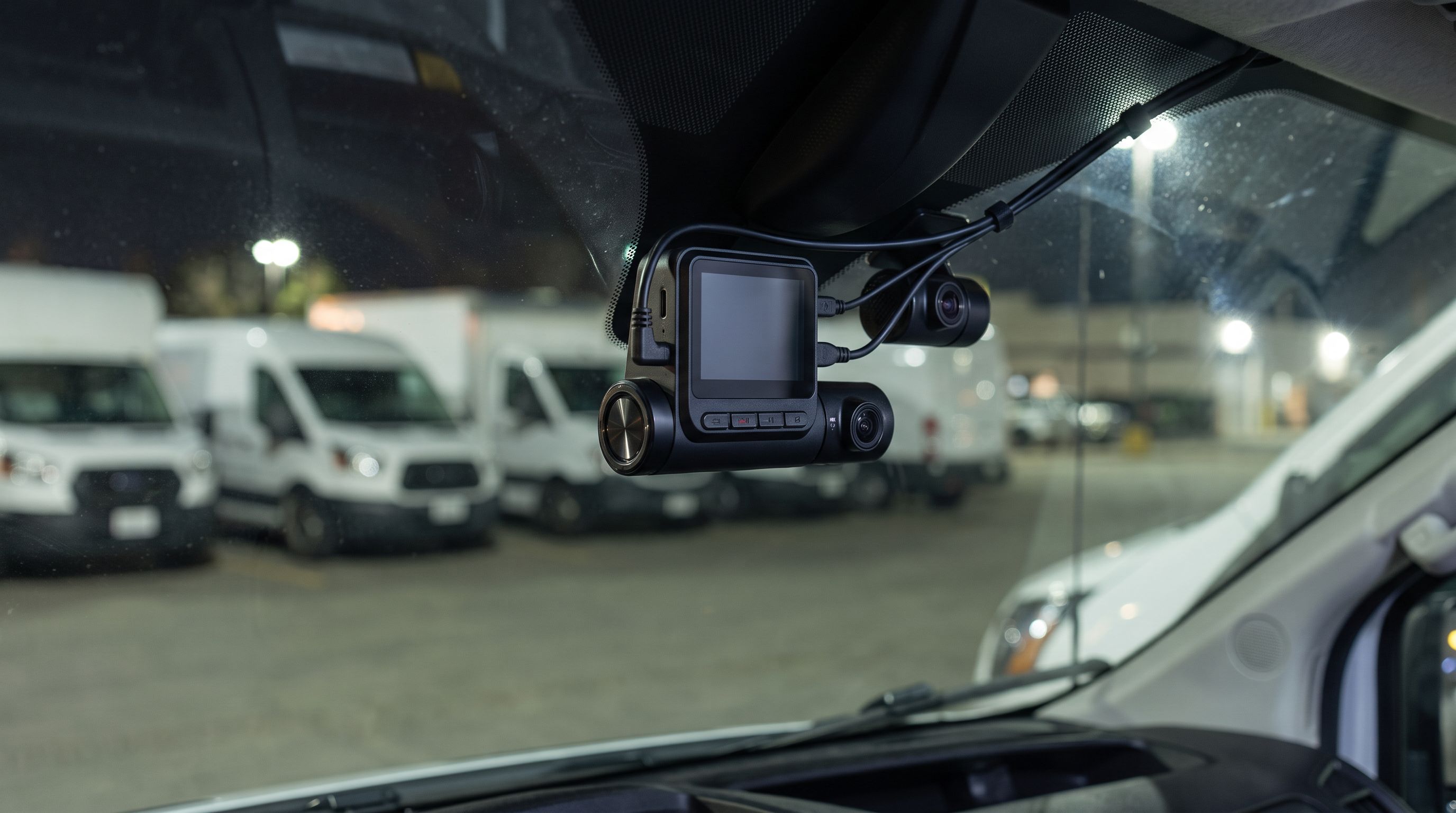
Work vans and fleet pickups break dash cams in ways private cars never do. They sit loaded overnight in unlit yards, they start cold at 5 a.m. with a tired battery and a full load of tools, and the windshield behind a white roof in July gets hot enough to cook a lithium cell. The camera that works fine on a commuter sedan often dies — or kills the starting battery — in that environment.
This guide compares multi-channel dash cams for fleet use on the three things that actually decide whether a unit survives: parking-mode current draw, supercapacitor heat tolerance, and how good the hardwire options are. GarageProof researches and compares using manufacturer specifications, independent reviews and verified owner feedback; we don't physically test units.
The short version
- Best overall: VIOFO A229 Pro 3CH
- Best for sitting overnight: BlackVue DR970X-2CH Box
- Best radar parking mode: Thinkware U3000 2CH
- Budget / secondary camera: Garmin Dash Cam Mini 3
- Best hardwire kit: VIOFO HK4 ACC Hardwire Kit
 Best hardwire kit · VIOFO HK4 ACC Hardwire Kit — Check price on Amazon →
 Budget / secondary camera · Garmin Dash Cam Mini 3 — Check price on Amazon →
 Best radar parking mode · Thinkware U3000 2CH — Check price on Amazon →
 Best for sitting overnight · BlackVue DR970X-2CH Box — Check price on Amazon →
 Best overall · VIOFO A229 Pro 3CH — Check price on Amazon →
Why fleet vans are a different problem
A dash cam in parking mode is a parasitic load, and it's competing with every other parasitic load on a modern van: telematics dongle, aftermarket alarm, keyless entry module, body control module wake cycles, plus the refrigeration or inverter gear some trades run. On a cargo van that already draws more at rest than the manufacturer intended, a continuously recording two- or three-channel camera is often the straw that breaks the battery.
The arithmetic matters more than the marketing. Dash cam parking draw is commonly quoted in watts or amps at 12V. A two-channel camera recording continuously typically sits in the few-hundred-milliamp range; a single-channel in motion-detect standby can be well under 100 mA. Over a 14-hour overnight sit, 300 mA is roughly 4 Ah — survivable on a healthy battery, marginal on a three-year-old flooded battery in a van that only does short runs. Over a long weekend it's not survivable at all.
Three variables change that math:
- How many channels record while parked. Many cameras let you disable rear and interior channels in parking mode. That alone can halve the draw.
- Which parking mode you use. Buffered motion detection keeps sensors live constantly. Time-lapse records at low frame rate but keeps everything awake. Radar or low-bitrate standby modes idle far lower and only wake on a real trigger.
- Where the camera gets its power. A hardwire kit with an adjustable low-voltage cutoff and a timer is the only thing standing between parking mode and a no-start call at 6 a.m.
Supercapacitor vs lithium is not optional here
For fleet work, a supercapacitor camera is effectively mandatory. Lithium-ion cells in dash cams degrade fast above roughly 60°C, and a windshield-mounted device on a van parked in direct sun routinely exceeds that in summer. Supercapacitors tolerate a much wider operating range — manufacturers typically rate supercap dash cams to around -20°C to 70°C ambient versus narrower ranges for battery units — and they fail gracefully rather than swelling.
The tradeoff is that a supercapacitor only stores enough energy to close the current file safely on power loss. It will not run the camera for impact detection after you pull the fuse. That's fine: for parking recording you want a hardwired supply anyway, not internal storage.
Comparison: parking behaviour and power
| Camera | Channels | Sensor backup | Parking modes | Parking draw character | Hardwire approach |
|---|---|---|---|---|---|
| VIOFO A229 Pro 3CH | 3 (front/interior/rear) | Supercapacitor | Buffered motion, auto event, time-lapse, low-bitrate | Moderate; drops noticeably with rear/interior disabled in parking | HK4 ACC kit with adjustable voltage cutoff + timer |
| BlackVue DR970X-2CH Box | 2 | Supercapacitor | Motion/impact, time-lapse, energy-saving modes | Low in energy-saving modes; higher with Cloud always connected | Power Magic Pro / Ultra Battery, 3-wire hardwire |
| Thinkware U3000 2CH | 2 | Supercapacitor | Radar-triggered, energy saving, time-lapse | Lowest idle of the group in radar mode | Thinkware hardwire cable with built-in cutoff |
| Garmin Dash Cam Mini 3 | 1 | Supercapacitor | Parking guard (requires constant-power cable) | Very low — single channel, tiny sensor | Garmin Constant Power Cable |
Draw figures vary with firmware version, resolution, Wi-Fi and Cloud state, so treat the "character" column as relative ranking rather than absolute numbers. Confirm current specs on the manufacturer's page for the firmware you're running.
The picks
VIOFO A229 Pro 3CH — best overall
Prices last checked November 9, 2026. Amazon prices change frequently, so treat these as a guide and check the live price before you buy.
VIOFO A229 Pro 3CH
Three-channel 4K/2K/1080p with supercapacitor, buffered parking mode and a dedicated low-voltage hardwire kit.
If you need the driver's view, the cabin and the rear doors covered on one system, the A229 Pro 3CH is the most sensible all-rounder for a work van. You get a 4K front channel with STARVIS 2 sensing, plus 2K and 1080p on the other two, which is enough to read plates in a loading bay at night. It's supercapacitor-based, so summer heat on a white Transit roofline isn't a concern, and the parking suite is genuinely configurable: buffered motion, auto-event detection, time-lapse and a low-bitrate mode, with the option to switch off channels while parked.
What it gives up: no native cloud fleet platform. Remote video pull means Wi-Fi at the depot or an optional LTE accessory, not a dispatcher dashboard. Installation is also a three-camera cable run, which is a real afternoon's work per van.
BlackVue DR970X-2CH Box — best for sitting overnight
BlackVue DR970X-2CH Box
Low-draw parking modes, built-in Cloud and a separate box design that hides easily in a van headliner.
The Box variant separates the camera head from the main unit, which is exactly what you want in a van: the recorder hides above the headliner or behind a trim panel where thieves and summer glass heat don't reach it, and only a small lens assembly sits on the windshield. Parking performance is where BlackVue has always been strong — the energy-saving modes idle low, and paired with the company's Power Magic Pro cutoff or an Ultra Battery pack you can run multi-day parking without touching the starting battery.
Built-in Cloud is the fleet draw here: live view, GPS tracking and event push without a third-party platform. The catch is that leaving Cloud permanently connected raises idle draw, and you'll need a data plan. Hardware cost is also the highest in this group.
Thinkware U3000 2CH — best radar parking mode
Thinkware U3000 2CH
Radar-triggered parking recording cuts idle current dramatically versus always-on buffered modes.
Radar-based parking detection is the single most effective way to cut overnight current. Instead of keeping image sensors and encoding live to detect motion, the U3000 idles in a very low-power state and wakes the recording system only when its radar sees something approach the vehicle. For a van parked in a quiet yard, that means hours of near-zero activity instead of continuous encoding — and far fewer junk files triggered by wind-blown trees or passing headlights.
Image quality is strong (4K front, 2K rear) and it's supercapacitor-based. Downsides: radar adds cost, the Thinkware app and firmware ecosystem is less flexible than VIOFO's for people who like to tune bitrates, and there's no interior channel option on the 2CH configuration.
Garmin Dash Cam Mini 3 — budget / secondary camera
Garmin Dash Cam Mini 3
Tiny, heat-tolerant and cheap enough to fit every van in a small fleet as a forward-only unit.
Sometimes the right fleet answer is "every van gets a camera this month" rather than "two vans get the perfect system." The Mini 3 is roughly the size of a key fob, disappears behind the mirror, uses a supercapacitor, and records 1080p with voice control and incident detection. Parking Guard works with Garmin's constant-power cable and draws very little because there's only one channel to feed.
The compromises are real: 1080p is the floor in 2026 and plate legibility at speed or at distance is limited, there's no rear or cabin channel, and there's no fleet management back end. Use it as a stopgap, a second forward camera in a pickup, or coverage for low-risk vehicles while the high-mileage units get a multi-channel system.
VIOFO HK4 ACC Hardwire Kit — best hardwire kit
VIOFO HK4 ACC Hardwire Kit
Adjustable low-voltage cutoff and timer so parking mode never strands a loaded van in the morning.
The accessory that decides whether parking mode is an asset or a liability. The HK4 ACC provides switched and constant power to the camera with a user-set low-voltage cutoff and a parking timer, so the camera shuts itself down before the battery drops below the level your van needs to crank with a full load of tools and a cold engine. Set the cutoff conservatively — for a standard flooded 12V battery, cutting off around 12.0–12.2V leaves far more starting margin than the lowest available setting.
It's VIOFO-specific, so BlackVue and Thinkware owners should use their own manufacturer's equivalent. Note that on many modern vans the fuse box no longer offers a true always-hot circuit that stays live after the body module sleeps — check with a meter before you commit to a tap.
How to choose
Work out your real overnight budget first
Take the battery's rated capacity, assume you only want to use about 20% of it between starts, then subtract everything else that's already drawing. Whatever's left is your dash cam allowance. Divide by the hours the van sits. If the answer is under about 150 mA, you're looking at radar parking, single-channel parking, or a dedicated auxiliary battery pack — not continuous two-channel recording.
Decide where the cabin camera fits
Interior-facing channels are valuable for driver coaching, false-claim defence and theft of contents, but they raise parking draw and bring privacy obligations. If your drivers are employees, check your local rules on in-cab recording and audio consent, and tell them in writing what's recorded and who sees it. Some fleets run the interior channel only while the ignition is on and disable it in parking mode — a reasonable compromise on both power and privacy.
Pick supercapacitor, and plan for heat anyway
Even a supercapacitor unit works better out of direct sun. Mount behind the mirror shadow where possible, route cables away from defroster vents, and favour designs like the DR970X Box that keep the recorder off the glass. In hot climates, expect thermal protection to pause recording occasionally; that's the camera protecting itself, not a fault.
Buy storage that's rated for the duty cycle
Parking mode means near-continuous writes. Use high-endurance microSD cards sized to the camera's maximum support, format them in-camera monthly, and replace them on a schedule — roughly annually for hard-working multi-channel systems. A failed card is the most common reason a fleet camera has no footage of the one incident that mattered.
Match the back end to your fleet size
Under about five vehicles, pulling clips over Wi-Fi at the yard is usually fine and avoids subscriptions. Above that, cloud connectivity pays for itself in admin time — which is why purpose-built fleet platforms like Geotab, SureCam, VisionTrack, Lytx and Samsara exist alongside consumer cameras. The consumer units in this guide are the right call for small operators and owner-drivers; a managed fleet platform makes more sense once you have a dedicated safety manager.
Installation notes that save callouts
- Test the fuse you plan to tap with a multimeter after the vehicle has been locked for 30 minutes. Many "constant" circuits on modern vans go dead when the body module sleeps.
- Use an add-a-circuit of the correct fuse type and never tap airbag, ABS or ECU circuits.
- Set the hardwire kit's timer as a backstop even if you've set a voltage cutoff. Voltage sag under cold conditions can fool a cutoff; a hard timer won't.
- After install, lock the van, wait an hour, then measure current at the battery negative. That one check tells you more than any spec sheet.
- Recheck battery health seasonally. Parking mode exposes a weak battery; it rarely causes one on its own.
FAQ
Will a dash cam drain my van battery overnight? It can, if it records continuously on multiple channels without a cutoff. With a hardwire kit set to a sensible low-voltage cutoff, the camera shuts down before the battery reaches a no-start state. The risk rises sharply on older batteries and on vans that only do short local runs.
Supercapacitor or lithium battery for a work van? Supercapacitor, without hesitation. Windshield temperatures in a parked van regularly exceed what lithium cells tolerate, and heat-degraded cells swell and fail. All the multi-channel picks here use supercapacitors.
Do I need a three-channel camera? Only if you need the cabin or the rear doors covered. Front and rear is enough for most collision and claims defence. Adding the interior channel raises cost, install time, parking draw and privacy obligations — justify it with a specific use case like cargo theft or driver coaching.
Is radar parking mode worth the extra cost? For vehicles that sit for 10+ hours in a yard, yes. Radar triggering avoids continuous encoding and dramatically reduces idle draw and false-trigger files. For vans parked on busy streets where you want buffered footage of everything, a conventional buffered motion mode may actually be preferable.
Can I use a dash cam instead of a fleet telematics system? For a handful of vehicles, often yes. Once you need driver scoring, automated coaching workflows and managed evidence retrieval across a larger fleet, a managed platform is a better fit than consumer cameras plus manual card pulls.
Does installing a hardwire kit void my van's warranty? A properly executed fused tap on a non-critical circuit shouldn't, but dealers can and do decline electrical claims they believe aftermarket wiring caused. If the van is under warranty and leased, check the lease terms and consider a professional install with documentation.
Get the best car care deals in your inbox
Join the GarageProof newsletter for hand-picked car care deals and new buying guides. No spam, unsubscribe anytime.
Related reads
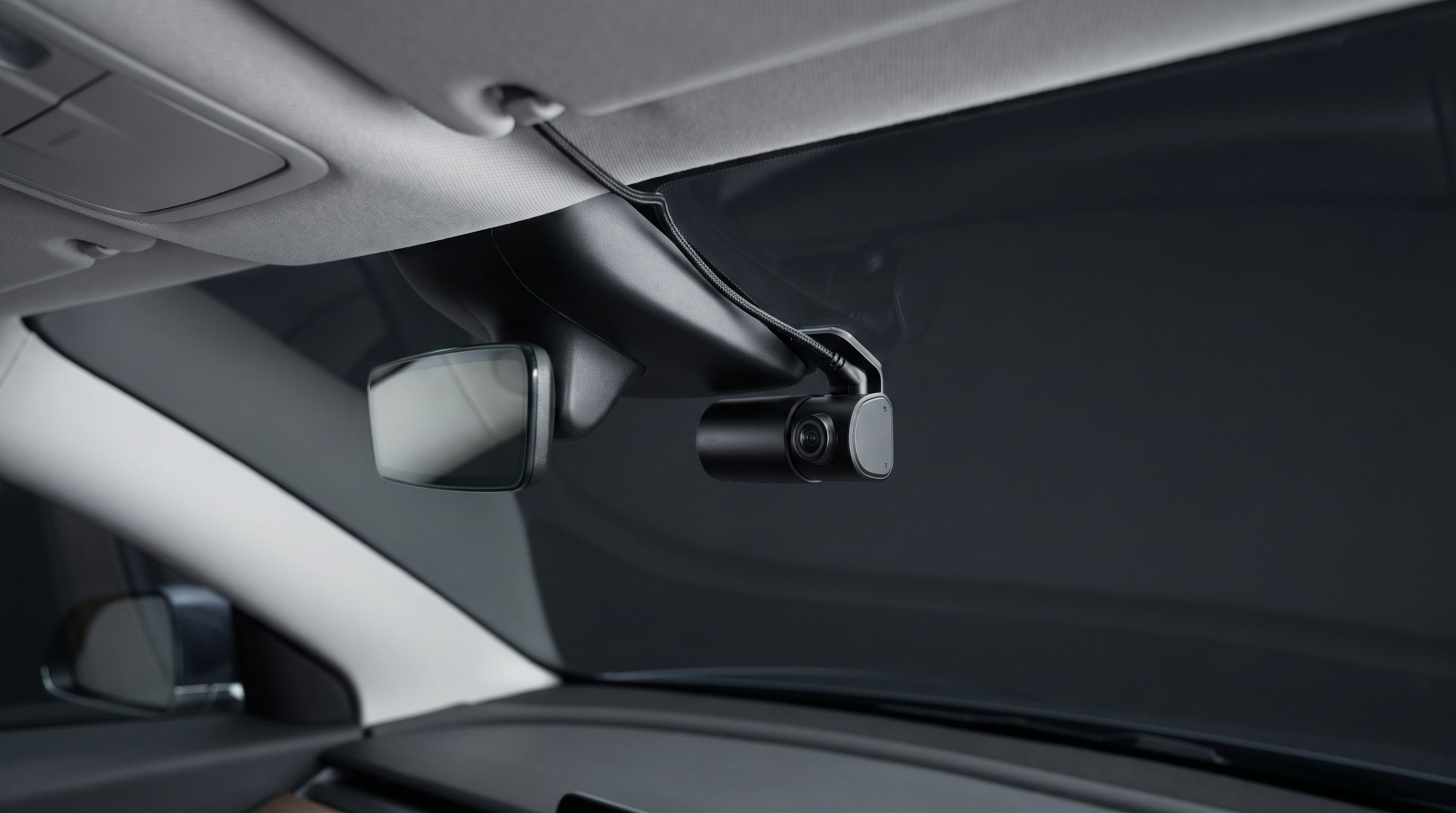
Dash Cam for a Leased Car in 2026: No-Drill Power Routes
The best no-drill dash cam setups for leased cars in 2026 — OBD and fuse-tap power, adhesive mounts, and how to route cables around A-pillar airbags safely.
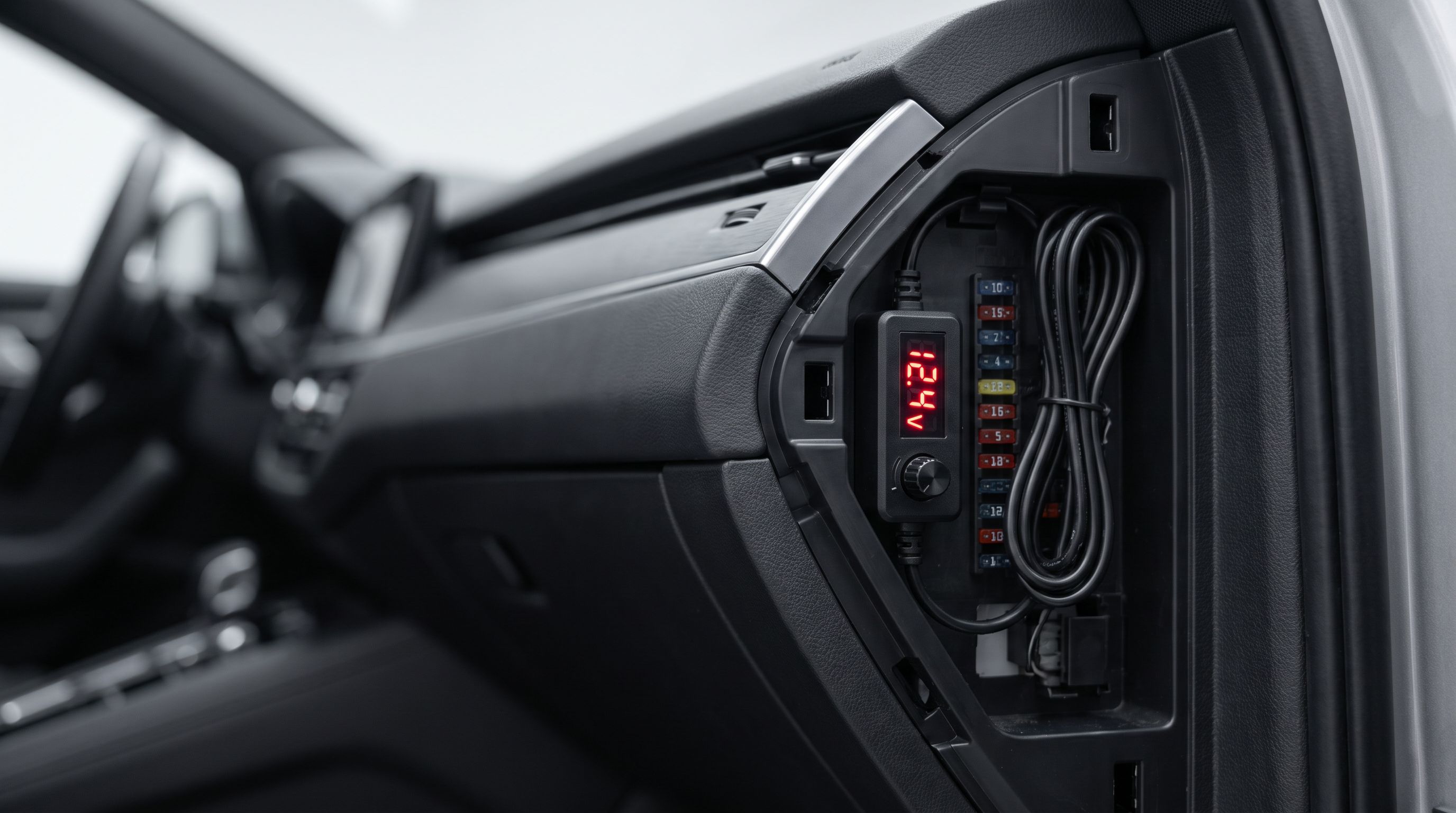
Dash Cam Hardwire Voltage Cutoff 2026: Match It to Your Battery
How to set dash cam hardwire voltage cutoff for AGM, flooded, and stop-start batteries in 2026 — plus four hardwire kits with user-adjustable cutoff points.
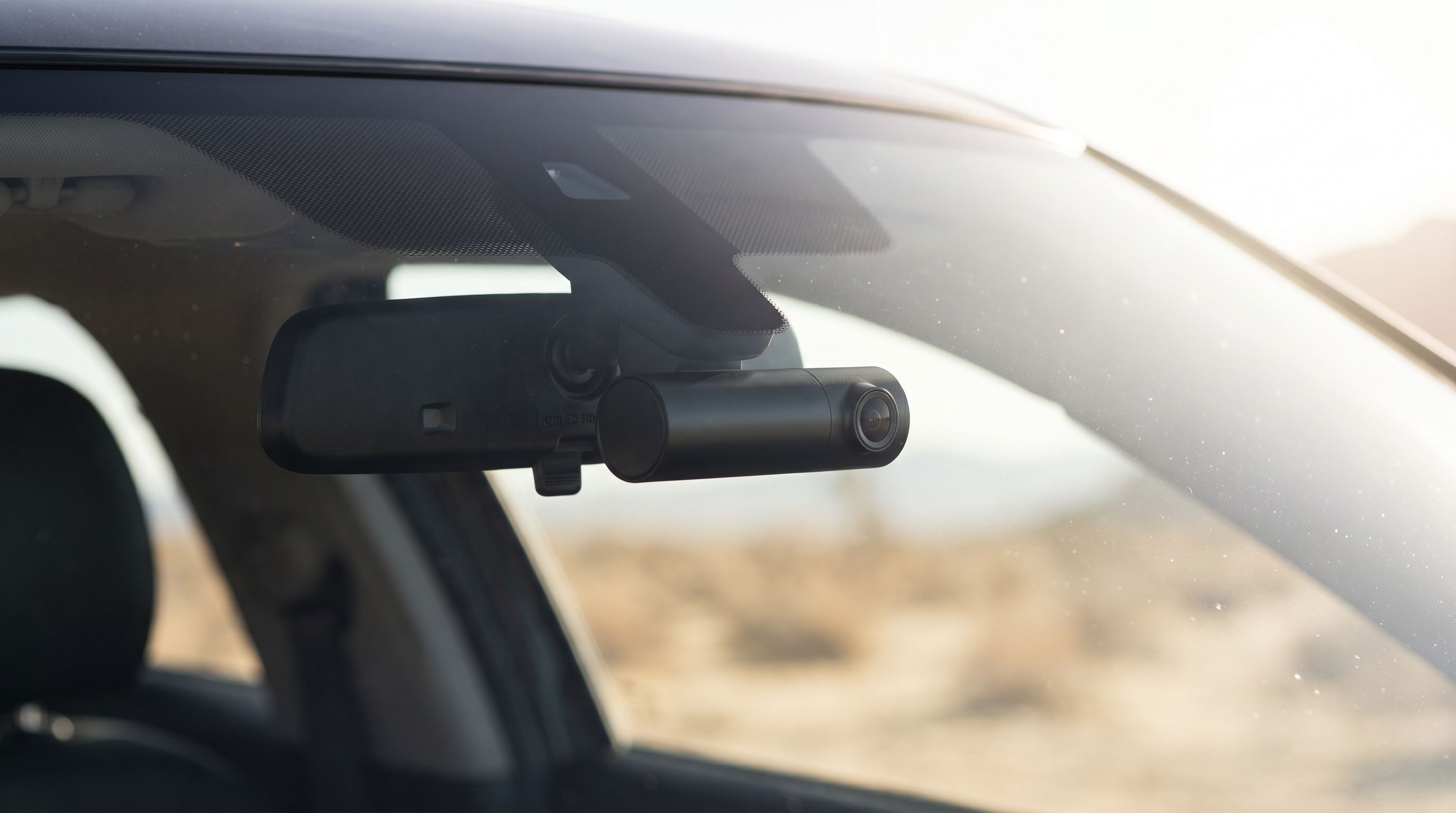
Heat Resistant Dash Cam 2026: Picks for 115°F Summers
A heat resistant dash cam has to survive a dashboard that hits 160°F. We compared supercapacitor models from Viofo, Thinkware, BlackVue and Vantrue for Sunbelt drivers.