ECU Coding Scan Tool in 2026: Do You Actually Need One?
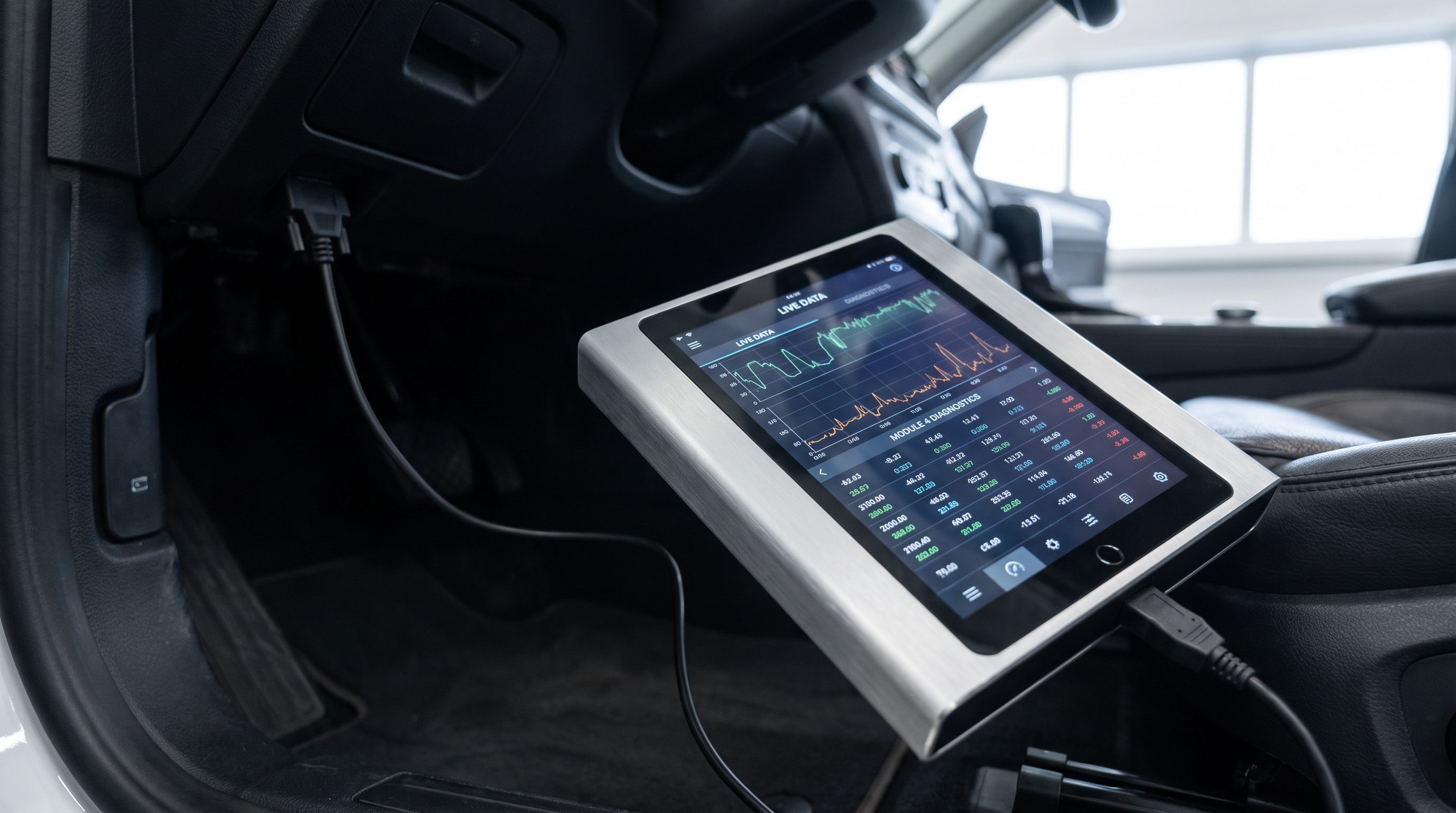
ECU coding scan tool vs mid-tier bidirectional in 2026: which tier you actually need, what coding really unlocks, and 5 tools ranked by module coverage.
Reader-supported: we may earn a commission from links on this page, at no extra cost to you. It never affects our picks. Learn more.
The short version
- Best overall for DIY coding and bidirectional control — Launch X431 PRO Elite
- Best for topology mapping and module-level work — XTOOL D8S
- Best mid-tier bidirectional pick (no coding needed) — Autel MaxiCOM MK808S
- Best budget bidirectional entry point — Launch CRP123X Elite
- Best single-brand specialist — OBDeleven Pro (VW/Audi/SEAT/Škoda)
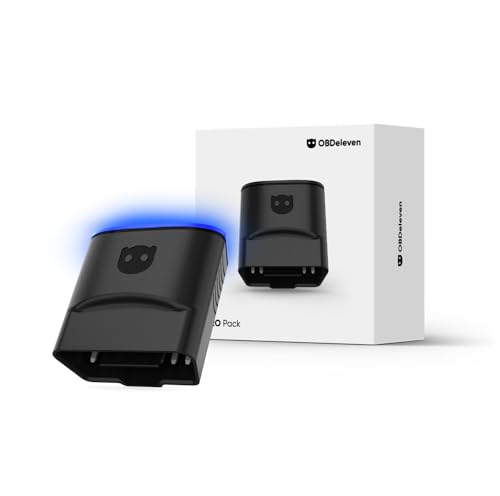 Best single-brand specialist · OBDeleven Pro — Check price on Amazon →
 Best budget bidirectional entry point · Launch CRP123X Elite — Check price on Amazon →
 Best mid-tier bidirectional pick (no coding needed) · Autel MaxiCOM MK808S — Check price on Amazon →
 Best for topology mapping and module-level work · XTOOL D8S — Check price on Amazon →
There are two very different things people mean when they say "I need a scan tool that can do everything."
The first is bidirectional control: the tool talks back to a module and commands it to do something — spin the fuel pump, cycle the ABS solenoids, fire an injector, run an EVAP purge test, retract the electronic parking brake. The second is ECU coding: changing the configuration data stored inside a module so it behaves differently — telling the body control module a new headlight type is installed, adapting a replacement throttle body, enabling a factory feature, or writing VIN and variant data to a replacement part.
They get marketed together, they cost very different amounts, and most home mechanics only need one of them. This guide separates the two so you buy the tier that matches the work you actually do. GarageProof researches and compares tools using manufacturer documentation, independent reviews, and verified owner feedback — we don't physically test units, and we'll flag where coverage claims deserve skepticism.
Bidirectional control vs ECU coding: what actually separates them
Bidirectional control (active test / actuation)
This is diagnostic. You're using the tool to isolate a fault faster. A classic example: a no-start with a suspected fuel pump. Instead of back-probing a relay in the rain, you command the pump on from the driver's seat and listen. Another: a dragging rear caliper on a car with an electric parking brake — you retract the actuators to get the pads out, then re-apply after the job.
Bidirectional control has become genuinely affordable. Tools in the mid-tier now routinely offer active tests across engine, transmission, ABS, and body modules on mainstream vehicles. For the overwhelming majority of DIYers, this is the tier that pays for itself.
ECU coding (and its cousins: programming and flashing)
Coding is configuration. You're writing values into a module's memory so it matches the hardware installed on the car. Three things get blurred together in marketing copy:
- Coding / adaptation — changing parameters inside an existing module (steering angle reset, throttle adaptation, injector coding on diesels, headlight variant coding, enabling comfort features).
- Programming / flashing — writing new firmware to a module. Often requires an OEM subscription, a stable battery maintainer, and on many modern vehicles a factory account login. Aftermarket tools frequently cannot do this on late-model cars regardless of what the box says.
- Module replacement / "virginizing" — marrying a new or used module to the vehicle. Heavily security-gated on post-2018 vehicles via gateway modules and secure access protocols.
That last point matters more every year. FCA/Stellantis SGW gateways, Mercedes and BMW secure diagnostics, GM's Vehicle Intelligence Platform, Toyota's security certificates — manufacturers have steadily locked write-level access behind authenticated accounts. An aftermarket tool may read and actuate fine while still being unable to code a module on a 2023+ vehicle without an OEM pass-through subscription.
Buy the tier that matches your car's generation, not the feature list on the box. Coding capability on a 2012 Golf and coding capability on a 2024 Silverado are not remotely the same technical problem.
Who actually needs coding?
You need coding if you regularly:
- Replace modules, batteries with BMS registration, or injectors on diesels that require trim-code entry
- Retrofit factory options (towbar modules, LED headlights, folding mirrors) on VAG, BMW, or Mercedes platforms
- Work across several brands and want to perform service adaptations without dealer visits
- Perform ADAS-adjacent resets that require variant coding after a windshield or camera change
You do not need coding if you mostly:
- Chase check-engine lights and read live data
- Do brakes, suspension, fluids, and bolt-on repairs
- Want oil/service resets, EPB retract, TPMS relearn, SAS reset, DPF regen
- Own one or two mainstream vehicles and keep them past warranty
That second list covers probably 85% of home mechanics. A strong mid-tier bidirectional tool handles it all, and the money you save buys a lot of parts.
Comparison table
| Tool | Tier | Bidirectional control | Coding capability | Best suited to |
|---|---|---|---|---|
| Launch X431 PRO Elite | Upper mid / prosumer | Full, broad coverage | Yes — coding and adaptations on supported makes | DIYers who want coding without shop-tool pricing |
| XTOOL D8S | Upper mid / prosumer | Full, with topology mapping | Yes — coding plus ECU-level functions on supported makes | Module-heavy European and late-model work |
| Autel MaxiCOM MK808S | Mid-tier | Full across major systems | Limited — service functions and adaptations, not broad coding | Most DIYers; diagnosis and maintenance resets |
| Launch CRP123X Elite | Entry bidirectional | Selected active tests, four-system focus | No | Budget diagnosis on a primary daily driver |
| OBDeleven Pro | Brand specialist | Via app-based functions | Yes — long coding and adaptations on VAG | VW, Audi, SEAT, Škoda owners specifically |
Coverage varies by vehicle year, market, and software version on every one of these. Always check the manufacturer's vehicle coverage lookup for your exact year, make, model, and engine before buying.
The picks
Launch X431 PRO Elite — best overall for DIY coding and bidirectional control
Prices last checked November 4, 2026. Amazon prices change frequently, so treat these as a guide and check the live price before you buy.

Launch X431 PRO Elite
Full bidirectional control plus genuine coding and adaptations without stepping up to shop-tool pricing.
The X431 PRO Elite sits in the sweet spot that didn't exist a few years ago: a tablet-based tool with full bidirectional control, a deep library of service resets, and genuine coding and adaptation functions on a wide range of makes — without stepping into full shop-tool territory. It's frequently cited as the value benchmark in this class, and Launch's long presence in the aftermarket means software updates and vehicle coverage are mature.
What it gives up: coding depth is not OEM-equivalent. On security-gated late-model vehicles you may hit authentication walls, and module programming (flashing new firmware) is largely outside its remit. Annual software renewal is a real ongoing cost after the included period.
Who it's for: multi-car households, enthusiasts doing retrofits and module swaps, anyone who wants one tool to cover diagnosis and most coding tasks.
XTOOL D8S — best for topology mapping and module-level work
XTOOL D8S
Topology mapping turns a 40-module European car into a readable network diagram in seconds.
The D8S's standout feature is topology mapping: a visual network diagram showing every module on the bus and its fault status. On a modern European car with 40+ modules, that turns "something somewhere is faulting" into a specific node on a specific bus in about thirty seconds. It pairs that with full bidirectional control, a large library of reset functions, and ECU coding on supported platforms.
What it gives up: it's a more complex tool with a steeper learning curve than a straightforward code-and-actuate scanner, and like all aftermarket tools, its coding reach narrows on the newest security-gated vehicles. Topology mapping coverage is also broader on European makes than on some domestic and Asian platforms.
Who it's for: owners of multi-module European vehicles, people diagnosing communication and network faults rather than simple sensor codes.
Autel MaxiCOM MK808S — best mid-tier bidirectional pick (no coding needed)
Autel MaxiCOM MK808S
Full-system bidirectional tests and every service reset most DIYers will ever need.
This is the tool most people should actually buy. The MK808S delivers full-system diagnostics with bidirectional active tests across engine, transmission, ABS, SRS, and body modules, plus the service functions that matter in a home garage — oil reset, EPB retract, SAS calibration, TPMS relearn, battery registration on supported vehicles, DPF regeneration. Autel's coverage and interface polish are consistently well-reviewed, and the tool is fast enough that you'll actually reach for it.
What it gives up: broad ECU coding. It handles adaptations and service-level writes, but it isn't the tool for retrofitting features or marrying replacement modules. If that's your use case, step up.
Who it's for: the DIYer who wants to diagnose properly, not configure.
Launch CRP123X Elite — best budget bidirectional entry point
Launch CRP123X Elite
Four-system diagnostics with selected active tests in a self-contained handheld.
If your diagnostic life is one or two mainstream vehicles and the occasional check-engine light, the CRP123X Elite is the sensible floor. It covers the four core systems — engine, transmission, ABS, SRS — with live data, a handful of essential resets, and selected active tests. It's a handheld with its own screen, which means no phone pairing, no app subscription anxiety, and nothing to go flat in your pocket.
What it gives up: a lot, honestly. No ECU coding, limited body and comfort module access, and a narrower reset library than the MK808S. It's a diagnosis tool, not a configuration tool.
Who it's for: first scan tool buyers who want real bidirectional capability without a tablet-sized investment.
OBDeleven Pro — best single-brand specialist
OBDeleven Pro
App-based long coding and adaptations built specifically for VW, Audi, SEAT and Skoda.
If every vehicle you touch wears a VW Group badge, a generalist tool is the wrong shape. OBDeleven is a Bluetooth dongle plus phone app built specifically for VW, Audi, SEAT, and Škoda, and its Pro tier unlocks long coding, adaptation channels, and the curated "one-click apps" that handle common retrofits and feature enables without hand-editing hex values.
What it gives up: everything outside VAG. There's no cross-brand coverage, and the dongle depends on your phone and a credit-based model for some functions. It's also less suited to deep live-data work than a dedicated tablet tool.
Who it's for: Golf, GTI, A4, Tiguan, Octavia owners who want dealer-level coding on their own platform and nothing else.
How to choose
Start with your vehicle's model year and gateway situation
This is the single biggest variable. On vehicles roughly 2018 and newer, many manufacturers route diagnostics through a secure gateway that requires authentication for write-level commands. Some aftermarket tools support unlock paths; some require an OEM subscription; some simply can't. Before you buy, look up your exact year, make, model, and engine in the tool manufacturer's coverage database — not the Amazon bullet list — and specifically check whether coding (not just diagnostics) is supported on your car.
Separate "has coding" from "has coding on YOUR car"
Nearly every tool above entry level now advertises ECU coding. That claim is almost always true for some vehicles. The useful question is whether it's true for yours. A tool with excellent VAG and BMW coding may offer only service-level writes on a late-model Toyota. If you own one brand, a specialist like OBDeleven often out-performs a generalist costing considerably more.
Budget for software renewal, not just the tool
Aftermarket scan tools typically include a period of software updates, then move to an annual subscription. A lapsed subscription usually doesn't brick the tool, but it freezes vehicle coverage at the last update — a real problem if you buy a newer car later. Factor the renewal into your decision, especially for prosumer tablets where it's a meaningful recurring cost.
Think about power and risk before you code anything
Coding writes to module memory. A voltage drop mid-write can corrupt a module, and module replacement is expensive. If you plan to code, budget for a proper battery maintainer capable of supporting the vehicle during an extended session, and always back up original coding values before changing them. Tools that log the "before" state automatically are worth preferring.
Decide whether you need a screen or a phone
Handhelds and tablets are self-contained and fast to deploy. Dongle-plus-app tools are cheaper, more portable, and often update faster — but they live and die by phone battery and Bluetooth stability. Neither is wrong; it's a workflow preference.
FAQ
Is ECU coding the same as tuning or remapping? No. Coding changes configuration parameters inside a module. Tuning/remapping rewrites the engine control firmware to alter fuelling and boost. Most coding-capable scan tools do not perform performance tuning, and doing so can affect warranty and emissions compliance.
Can an aftermarket tool code a brand-new replacement module? Sometimes. On older vehicles, frequently yes. On post-2018 vehicles with secure gateways and parts protection, often no — the module may require an authenticated OEM session. Verify coverage for your specific vehicle before buying a tool for this purpose.
Will coding void my warranty? Changing factory configuration can give a dealer grounds to deny a related claim. Reversible comfort-feature coding is low risk in practice; anything affecting safety systems, emissions, or lighting compliance is not. Record original values so you can revert.
Do I need bidirectional control for basic maintenance? Not strictly, but it helps enormously. Electric parking brake retraction alone makes rear brake jobs practical on most modern cars, and active tests cut diagnostic guesswork dramatically.
Is a cheap Bluetooth dongle enough? For reading and clearing generic engine codes, yes. For anything involving ABS, SRS, body modules, active tests, or coding, no — those require full-system access that basic dongles don't provide.
How do I confirm a tool works on my car? Use the manufacturer's online vehicle coverage lookup and enter year, make, model, engine, and market. Check the specific function you need, not just whether the vehicle is listed. If in doubt, contact the tool maker's support before purchase.
Get the best car care deals in your inbox
Join the GarageProof newsletter for hand-picked car care deals and new buying guides. No spam, unsubscribe anytime.
Related reads
Scan Tools That Read Transmission Fluid Temp in 2026
Most modern automatics have no dipstick. We compare scan tools by whether they read live transmission fluid temperature PIDs for your make in 2026.
OBD2 Codes, Explained: Reading Them Without Guessing
What P0171, P0300 and P0420 actually tell you — and the live data that separates a real diagnosis from a parts-cannon guess. Plus when a scanner pays off.
Brake Fluid Tester 2026: Pens vs Strips, Honestly
Brake fluid tester guide for 2026: how electronic moisture pens and chemical test strips differ on DOT 3/4/5.1 fluid, plus five picks and how to read results.