Dash Cam Storage, Explained: Bitrate, Cards, and Why They Die
Why dash cam SD cards fail early, how bitrate (not resolution) drives file size, and roughly how many hours you really get from 64GB to 512GB in 2026.
Reader-supported: we may earn a commission from links on this page, at no extra cost to you. It never affects our picks. Learn more.
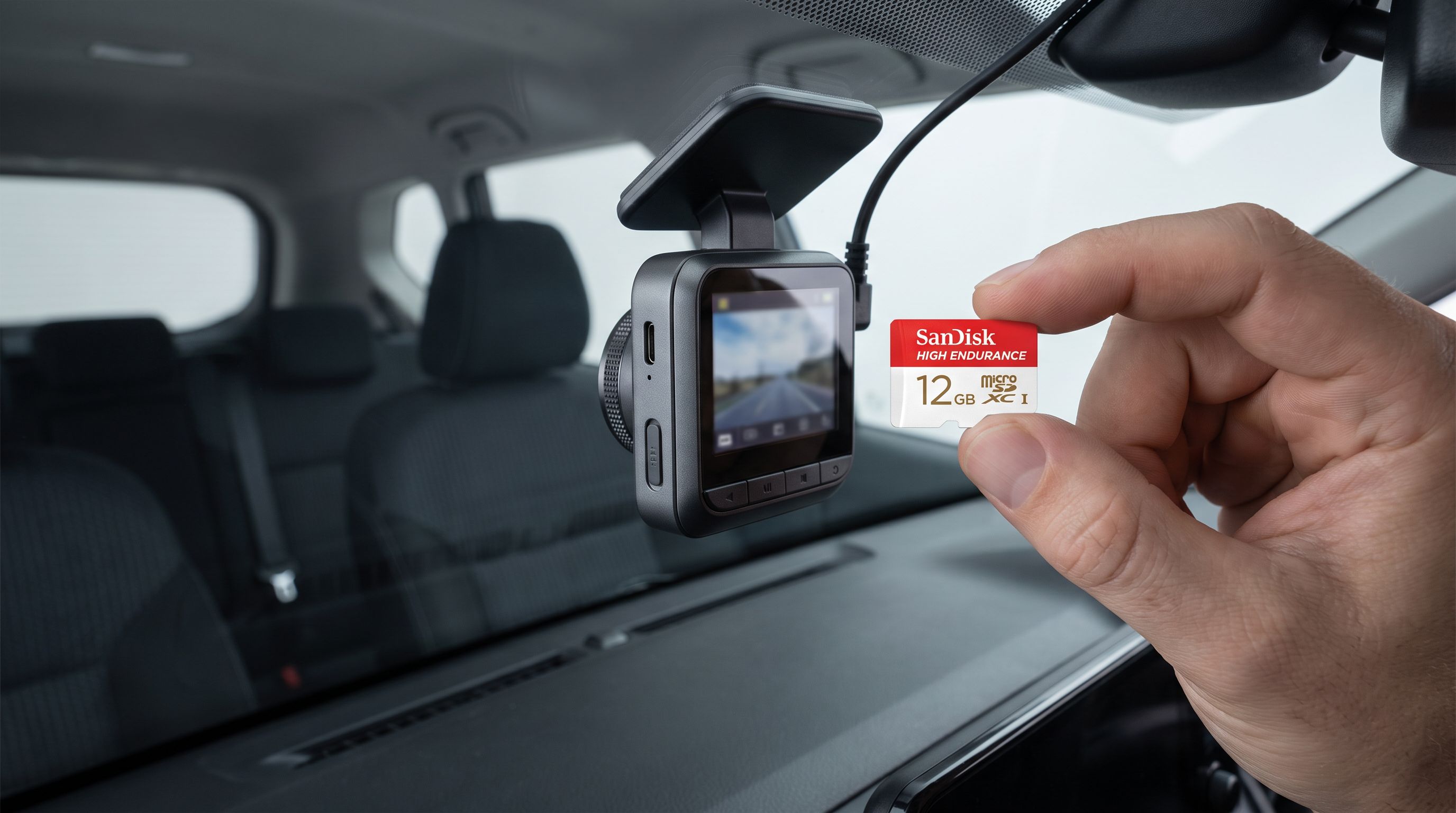
The card is the part that fails, not the camera
Dash cams are one of the few consumer electronics categories where the cheapest component does the hardest work. The camera sits on the glass and encodes video. The microSD card absorbs a continuous, never-ending write stream — hours a day, every day, in a cabin that swings from freezing to oven-hot — and it is usually the thing that quits first.
The failure pattern is predictable enough that most dash cam makers now build card health warnings into their firmware. Owners report the same arc: a camera works flawlessly for months, then starts dropping clips, then corrupts a file, then one day you need the footage and the card has silently stopped writing. Nothing about the camera changed. The card simply ran out of program/erase cycles in the cells the loop kept hammering.
Understanding why means understanding two numbers that marketing rarely puts side by side: resolution, which sells cameras, and bitrate, which actually determines how much data hits the card every second.
What's actually happening now
Resolution is the headline spec. Bitrate is the one that writes to your card.
Resolution is just pixel count per frame. Bitrate is megabits per second of data the encoder produces — and that is what fills storage and burns flash. Two cameras can both claim 4K and produce wildly different file sizes depending on their encoder, codec, and frame rate. Guidance circulating across dash cam explainers puts roughly 12–15 Mbps as a sensible floor for clean 1080p, with 1440p and 4K scaling upward from there. A camera advertising 4K at a stingy bitrate is making a smaller file by throwing away detail exactly where you need it — license plates, moving text, low light with lots of grain.
The codec matters too. H.265/HEVC produces meaningfully smaller files than H.264 at similar perceived quality, which is why more cameras ship with it as the default or as a toggle. The tradeoff is playback compatibility: older computers and some phone apps handle H.264 more gracefully.
Then there's the write cycle problem. Dash cams use loop recording — once the card is full, the oldest clips get overwritten automatically. That means a card in a daily-driven car can be fully overwritten many times per month. Standard consumer microSD cards are designed around bursty photo and app use, not 24/7 sequential video writes. High-endurance cards use flash and controller configurations tuned for exactly this workload, which is why endurance-labeled lines exist as separate SKUs rather than just being "the fast ones."
Heat compounds it. A card baking behind a windshield in summer is operating at the edge of its spec while writing continuously. Cameras with parking mode make it worse by adding recording hours when the car isn't even moving.
How many hours you actually get
Capacity-to-runtime math is simple once you know bitrate. Published guidance commonly cites roughly 4.5 hours of 4K footage on a 64GB card, with 128GB, 256GB and 512GB scaling proportionally. Lower resolutions and lower bitrates stretch that out considerably; multi-channel setups collapse it.
| Setup | Typical data load | Rough loop length on 128GB |
|---|---|---|
| 1080p single channel | Modest — low end of the bitrate range | Longest runtime of any common config |
| 1440p single channel | Moderate | Noticeably shorter than 1080p |
| 4K single channel | Heavy — ~4.5 hrs per 64GB per published estimates | Roughly double the 64GB figure |
| 2K + 1080p + 1080p (3-channel) | Three simultaneous streams | Shortest; community guidance pushes 128GB+ as the practical minimum |
Two caveats worth internalizing. First, these are estimates — your camera's actual bitrate, frame rate, and codec move the number. Several dash cam sites now publish interactive storage calculators precisely because the variables are too messy for a single table. Second, loop length is not the same as how long footage survives. If your card holds six hours and you drive two hours a day, an incident from three days ago is already gone unless the camera locked the file.
The real players and shipping products
The endurance card market is narrower than the general microSD market, and that's a feature.
SanDisk High Endurance microSDXC is the default recommendation across most dash cam communities, sold in capacities through 256GB and positioned explicitly for continuous video. Samsung PRO Endurance microSDXC is the other mainstream pillar; Samsung markets it with continuous-recording hour ratings rather than generic speed badges, which at least frames the spec the way dash cam buyers should be thinking about it. Both are sold as a distinct product line from each brand's general-purpose cards — if the packaging doesn't say endurance, it isn't one.
 Best available now for 2K/4K loops · Samsung PRO Endurance microSDXC 128GB — Check price on Amazon →
 Closest you can buy today · SanDisk High Endurance microSDXC 256GB — Check price on Amazon →
Camera makers have also started selling matched cards. Viofo offers its own Professional High Endurance microSD cards sized for its 4K and multi-channel units, and Garmin, BlackVue and others either bundle or specify cards for their hardware. The appeal isn't magic silicon; it's that the manufacturer has validated the card against its own firmware, which reduces the "camera says card error" support loop.
On the camera side, the Garmin Dash Cam 57 is a useful reference point for anyone trying to reason about storage rather than chase pixel counts. It records at 1440p — the middle ground where detail is good enough to read plates at a reasonable distance without generating 4K-sized files. Cameras in that band put far less lifetime stress on a card than a 4K three-channel rig doing parking surveillance overnight.
 Reference point for 1440p storage math · Garmin Dash Cam 57 — Check price on Amazon →
What it means if you're shopping today
A few practical conclusions fall out of the above.
Buy endurance, not speed class. A V30 or A2 badge tells you about burst throughput and random I/O for apps. Neither describes how many times the flash can be rewritten. For a device that rewrites its entire card continuously, endurance rating is the spec that maps to lifespan.
Size the card to your driving, not to the biggest number. Larger cards spread writes across more cells, which genuinely helps longevity, and they give you more hours before overwrite. But a 512GB card in a 1080p single-channel camera is mostly buying runtime you'll never review. Match capacity to resolution and channel count — community guidance consistently points to 128GB as the realistic floor for three-channel 2K+1080p+1080p setups.
Check your camera's supported capacity before buying. Not every dash cam accepts 512GB, and an unsupported card will either fail to mount or behave erratically.
Format the card in the camera, on a schedule. Most manufacturers recommend periodic reformatting in-device rather than on a computer; it clears fragmentation from the loop and lets the camera lay down its own file structure. Many modern cameras also report card health — if yours does, look at it occasionally instead of assuming.
Treat cards as consumables. Even a good endurance card in heavy use is a replace-every-year-or-two item, not a lifetime purchase. That's the real cost of ownership nobody prints on the box.
What to watch next
Three threads are worth tracking. Codec adoption is the big one — broader H.265 defaults mean smaller files for the same quality, which directly extends both loop length and card life without any hardware change. Second, more cameras are shipping meaningful card-health reporting and pre-emptive warnings, which converts a silent failure into a scheduled replacement. Third, higher-capacity endurance SKUs keep arriving, but capacity alone doesn't solve a thermal or write-cycle problem; the more interesting development would be endurance cards explicitly rated for the sustained cabin temperatures dash cams actually live in.
The short version: buy the camera for its bitrate and low-light performance, buy the card for its endurance rating, size it to your channel count, and assume you'll replace it long before the camera.
FAQ
Does a bigger card make my dash cam last longer? It extends loop length and spreads writes across more flash, which helps. It doesn't change the card's endurance class — a standard 512GB card still isn't built for continuous video.
Is a high-endurance card really necessary? For continuous loop recording, yes. Standard cards are designed for intermittent use; dash cams rewrite their storage over and over, which is the exact workload endurance lines exist to handle.
Why does my 4K camera fill a card so fast? Higher resolution at a proper bitrate means far more data per second. Published estimates put roughly 4.5 hours of 4K on 64GB — multi-channel setups divide that further.
How often should I reformat? Follow your camera's manual, in-camera rather than on a PC. Periodic formatting clears loop fragmentation and is the single easiest maintenance habit to keep.
Can I just use the card that came in the box? Bundled cards vary enormously in quality. If the packaging doesn't identify it as an endurance-rated card, plan on replacing it.
Our picks
Prices last checked October 28, 2026. Amazon prices change frequently, so treat these as a guide and check the live price before you buy.
SanDisk High Endurance microSDXC 256GB
Purpose-built for continuous loop recording; widely stocked in 64GB–256GB capacities.
Samsung PRO Endurance microSDXC 128GB
Endurance-rated line Samsung quotes in hours of continuous video rather than vague speed claims.

Viofo Professional High Endurance microSD Card 256GB
Sold by a dash cam brand specifically to pair with its own 4K and multi-channel cameras.
Garmin Dash Cam 57
A widely sold 1440p camera whose card requirements show how mid-res bitrates affect loop length.
Get the best car care deals in your inbox
Join the GarageProof newsletter for hand-picked car care deals and new buying guides. No spam, unsubscribe anytime.
Related reads
Dash Cam for a Leased Car in 2026: No-Drill Power Routes
The best no-drill dash cam setups for leased cars in 2026 — OBD and fuse-tap power, adhesive mounts, and how to route cables around A-pillar airbags safely.
Dash Cam Mount for Sloped Windshield: 2026 Wedge Guide
Steeply raked glass ruins dash cam aim. Here's how wedge angle, adhesive vs suction mounts and ball-joint range decide what you should buy in 2026.
Truck Front and Rear Dash Cams in 2026: Cab Wiring Fit
Picking a dash cam for trucks front and rear in 2026 comes down to cable length, headliner depth and fuse box access. Five picks compared for pickup installs.