Dash Cam SD Cards in 2026: Why Normal microSD Dies
Standard microSD cards fail fast in dash cams. Here's how endurance-rated cards differ, what capacity your cam supports, and the best SD card for dash cam use in 2026.
Reader-supported: we may earn a commission from links on this page, at no extra cost to you. It never affects our picks. Learn more.
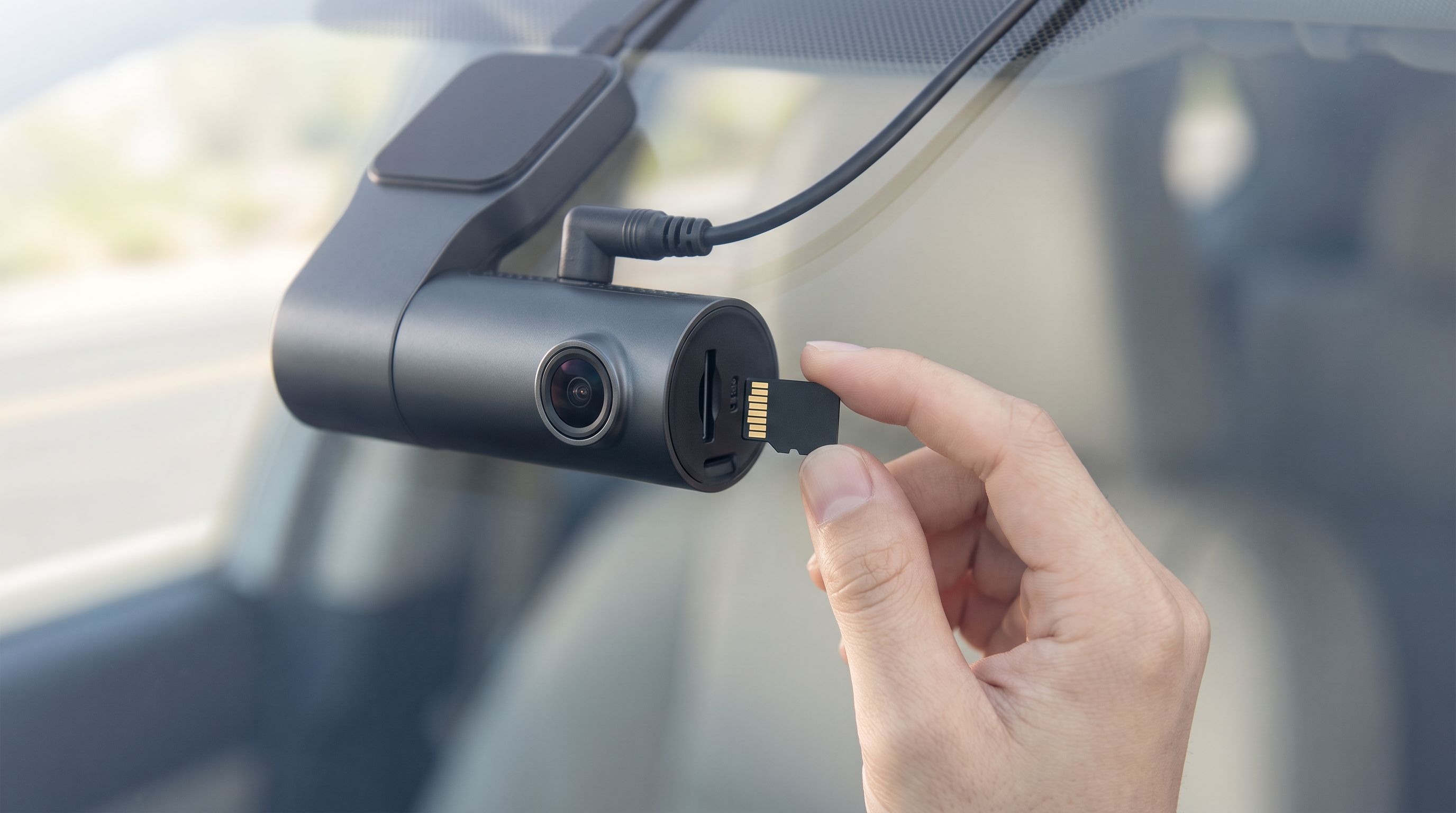
Your dash cam is only as reliable as the card inside it. And the card that came free in the box — or the $12 phone card you had in a drawer — is the single most common reason a crash gets recorded as a corrupted file, or not at all.
This guide explains what actually kills standard microSD cards in a car, how endurance-rated cards differ, what capacity your specific cam can address, and which cards are worth buying in 2026. We researched manufacturer endurance specs, dash cam maker compatibility lists, and a large volume of owner reports; GarageProof does not physically test hardware, and we say so plainly.
The short version
- Best overall: SanDisk Max Endurance microSDXC 256GB
- Best value: Samsung PRO Endurance microSDXC 128GB
- Best budget endurance pick: SanDisk High Endurance microSDXC 128GB
- Best for 4K dual-channel and parking mode: Viofo 512GB microSD Card
- Best alternative brand: Transcend High Endurance 350V microSDXC 256GB
 Best alternative brand · Transcend High Endurance 350V microSDXC 256GB — Check price on Amazon →
 Best for 4K dual-channel and parking mode · Viofo 512GB microSD Card — Check price on Amazon →
 Best budget endurance pick · SanDisk High Endurance microSDXC 128GB — Check price on Amazon →
 Best value · Samsung PRO Endurance microSDXC 128GB — Check price on Amazon →
 Best overall · SanDisk Max Endurance microSDXC 256GB — Check price on Amazon →
Why normal microSD cards die in dash cams
A phone or camera card lives an easy life. It gets written to in bursts, spends most of its time idle, and sits in a climate-controlled pocket. A dash cam card lives the opposite life.
Loop recording is relentless overwriting
Dash cams write continuously, then delete the oldest clip and write over that space again. A 128GB card in a 4K dual-channel cam can fill and overwrite itself in a matter of hours. Over a year of commuting, that's hundreds of full-card write cycles — far beyond anything a consumer card was designed around.
NAND flash cells wear out with each program/erase cycle. Standard cards typically use TLC (three bits per cell) or QLC (four bits per cell) NAND, which packs in cheap capacity at the cost of endurance. Endurance-rated cards typically use higher-grade NAND — often pSLC or MLC-style configurations — plus firmware and wear-leveling tuned for continuous sequential writes.
Heat cycling is the quiet killer
This is the part owners underestimate. A windshield-mounted camera in direct sun can reach temperatures far above ambient — a parked car in summer becomes an oven, and the card sits inside a plastic body absorbing that heat while actively writing. Then it drops to freezing overnight in winter.
Flash retention degrades faster at high temperature, and repeated thermal cycling stresses the solder and the controller. This is why so many owner reports follow the same pattern: the cheap card worked perfectly for three or four months, then started producing unplayable files, then the cam began throwing "card error" messages, usually after the first hot summer or a cold snap.
Endurance-rated cards from SanDisk, Samsung, and Transcend publish wider operating temperature ranges specifically because they're aimed at dash cams and security cameras.
Parking mode doubles the workload
If you run buffered parking mode, motion-detection recording, or time-lapse while parked, your card isn't getting eight hours off overnight — it's writing, or standing by to write, around the clock. Parking mode is the feature that turns a "should last two years" card into a "failed in six months" card. If you use it, an endurance card stops being optional.
Counterfeits make it worse
Fake microSD cards remain a genuine problem, especially at suspiciously low prices from marketplace sellers. A counterfeit reports a large capacity, writes fine until it passes the real capacity, then silently corrupts everything. Buy from the brand's own storefront or a reputable retailer, and run a verification tool like H2testw or F3 on a new card before trusting it.
What "endurance rated" actually means
There are three numbers worth understanding, and manufacturers don't all publish the same ones.
TBW (terabytes written) is the clearest measure — total data the card is rated to absorb before end of life. Endurance card families publish this or an equivalent "hours of Full HD recording" figure, which is the same idea expressed in dash cam terms. High-endurance lines are typically rated for tens of thousands of hours of continuous Full HD video; the top-tier endurance lines are rated for multiples of that and carry correspondingly long warranties. Standard consumer cards usually publish no endurance figure at all — which tells you something.
Speed class matters less than people think, but it still matters. Look for UHS-I with U3 and, ideally, V30. Viofo, for instance, specifies at least a Class 10 / UHS-I card for its cameras. A 4K dual-channel cam writing two high-bitrate streams needs sustained sequential write headroom; V30 guarantees 30 MB/s minimum sustained write, which is comfortably above what most cams demand. Anything beyond that — A2 app performance, V60, UHS-II — buys you nothing in a dash cam, because the card slot itself is UHS-I in virtually every consumer cam.
Capacity ceiling is set by your camera, not by the card. More on that next.
How to choose
1. Check your dash cam's maximum supported capacity first
This is the step people skip and then regret. Dash cams have firmware limits on card size, and putting a 512GB card in a cam that maxes out at 256GB produces unpredictable behavior — sometimes it works, sometimes it corrupts on loop rollover.
Current Viofo models like the A229 Pro and A329S Pro support up to 512GB. Many older or budget cams top out at 128GB or 256GB. Some cams also require a specific format (exFAT vs FAT32) and expect you to format the card in the camera, not in Windows or macOS. Check the manual or the manufacturer's support page for your exact model and firmware version before buying. If your cam's limit is 256GB, buying 512GB is wasted money at best.
2. Match capacity to resolution and how far back you need to see
Bigger isn't automatically better. Bigger cards spread writes over more cells, which genuinely extends life — but they also cost more and you may never review footage older than a day.
A rough guide: 128GB is the sweet spot for a single-channel 1440p or 4K cam and is the most commonly recommended size. 256GB suits dual-channel 4K front-and-rear setups or anyone who wants several days of history. 512GB makes sense for three-channel cams, high-bitrate 4K, or heavy parking-mode use — assuming your cam supports it. 32GB and 64GB still work for 1080p cams but will cycle so fast that endurance rating becomes critical.
3. Buy an endurance line, not just a fast card
A V90 "pro video" card designed for mirrorless cameras is fast but not endurance-rated. The families to look for by name are SanDisk Max Endurance, SanDisk High Endurance, Samsung PRO Endurance, and Transcend High Endurance. Dash cam brands like Viofo also sell their own validated cards, which removes compatibility guesswork.
4. Plan for replacement, not immortality
Even the best card is a consumable. Treat it like brake pads. Format it in-camera every couple of months, check that files play back cleanly, and budget to replace the card every 18–24 months of daily use — sooner with constant parking mode. Some cams will warn you; many won't until the card is already gone.
Comparison table
| Card | Best for | Typical capacities | Endurance tier | Speed class | Notes |
|---|---|---|---|---|---|
| SanDisk Max Endurance 256GB | Everyday best-in-class reliability | 64GB–256GB | Highest consumer endurance tier | UHS-I, U3, V30 | Longest warranty in SanDisk's lineup; named directly in many dash cam recommendation lists |
| Samsung PRO Endurance 128GB | Best price-to-endurance balance | 32GB–256GB | Surveillance-grade | UHS-I, U3, V30 | Rated in hours of continuous recording; strong owner track record in always-on cameras |
| SanDisk High Endurance 128GB | Budget single-channel setups | 32GB–256GB | Mid endurance tier | UHS-I, U3, V30 | Step below Max Endurance in rated life and warranty, still far above standard cards |
| Viofo 512GB microSD | 4K dual/triple-channel Viofo cams | 128GB–512GB | Endurance-oriented | UHS-I, U3, V30 | Validated by Viofo for its own cameras; removes capacity-ceiling guesswork |
| Transcend High Endurance 350V 256GB | Alternative to the big two | 64GB–256GB | Surveillance-grade | UHS-I, U3, V30 | Published endurance figures; good option if SanDisk/Samsung stock is thin |
The picks
SanDisk Max Endurance 256GB — best overall
Prices last checked September 30, 2026. Amazon prices change frequently, so treat these as a guide and check the live price before you buy.
SanDisk Max Endurance microSDXC 256GB
The highest-endurance consumer microSD most dash cam makers name by name, with long warranty coverage.
This is the card dash cam communities converge on, and for good reason: it sits at the top of SanDisk's endurance stack, carries the longest warranty in the family, and is explicitly recommended in compatibility guides from cam makers. At 256GB it suits dual-channel front-and-rear cams and gives enough spare capacity that wear levels out across more cells. It's the right default if you run parking mode, live somewhere with brutal summers, or simply don't want to think about your card again for two years. What you give up is price — it's the most expensive option here per gigabyte, and a 1080p single-channel cam won't fully exploit it.
Samsung PRO Endurance 128GB — best value
Samsung PRO Endurance microSDXC 128GB
Purpose-built surveillance card with strong write endurance at a sane capacity for 2K/4K loop recording.
Samsung's PRO Endurance line was built for surveillance cameras, which is the same duty cycle as a dash cam: continuous sequential writes, high heat, no downtime. At 128GB it hits the capacity most cam makers consider their sweet spot, and it's usually noticeably cheaper than the top-tier SanDisk. It's the card we'd put in a 1440p or 4K single-channel cam without hesitation. The trade-off is headroom: if you later upgrade to a dual- or triple-channel 4K setup with buffered parking mode, 128GB will cycle quickly and you'll want to step up to 256GB.
SanDisk High Endurance 128GB — best budget endurance pick
SanDisk High Endurance microSDXC 128GB
Cheaper than Max Endurance and still rated for continuous video writing — fine for single-channel cams.
High Endurance is the tier below Max Endurance, and the gap is real — shorter rated life, shorter warranty — but it is still fundamentally a different product from a standard microSD. For a 1080p or 1440p single-channel cam that isn't running parking mode all night, it's a sensible way to get genuine endurance NAND without paying flagship money. Pick this if you're replacing a failed no-name card on a budget and want something you can trust for the next year or two. Skip it if you run continuous parking surveillance; spend the extra on Max Endurance instead.
Viofo 512GB microSD Card — best for 4K dual-channel and parking mode
Viofo 512GB microSD Card
Sold and validated by Viofo for its own cams, so compatibility and capacity ceilings aren't a gamble.
If you own a Viofo A229 Pro, A329S Pro, or another current Viofo model, the company's own 512GB card sidesteps the two things that go wrong most often: exceeding the cam's supported capacity, and buying a card whose controller doesn't play nicely with the cam's firmware. 512GB gives you days of 4K dual-channel footage and spreads wear widely, which matters enormously under parking mode. The downsides are that it's a single-vendor product with less published endurance data than SanDisk or Samsung, and 512GB is overkill — possibly unsupported — for many non-Viofo cams. Confirm your model's ceiling first.
Transcend High Endurance 350V 256GB — best alternative brand
Transcend High Endurance 350V microSDXC 256GB
MLC/3D NAND surveillance card with published TBW figures and a solid reputation in always-on cameras.
Transcend's 350V is aimed squarely at dash cams and security cameras, with published endurance figures and a wide operating temperature range. It's a genuinely good option when SanDisk and Samsung stock is patchy or overpriced, and Transcend has a long history in industrial and embedded flash. At 256GB it handles dual-channel setups comfortably. The catch is ecosystem: fewer dash cam makers list it on their validated-card pages, so if your cam is fussy about controllers you have marginally less assurance. Availability also varies more by region than the mainstream brands.
Getting the most life out of whichever card you buy
- Format in the camera when you first install the card, and repeat every one to two months. Cam-side formatting rebuilds the file structure the way the firmware expects.
- Verify new cards with H2testw or F3 before you rely on them, especially if bought from a marketplace seller.
- Don't fill it with saved clips. Locked event files don't get overwritten, so a card slowly clogged with old "incident" files loses the free space loop recording depends on. Offload them.
- Pull the card when the car will bake. If the vehicle sits in full sun for days, removing the card (or the cam) reduces heat exposure.
- Watch for symptoms. Stuttering playback, files that won't open, shortened clip lengths, or repeated "card error" prompts mean the card is on its way out. Replace it before you need it.
FAQ
Can I just use a regular microSD card from my phone? You can, and it will work — for a while. Standard cards aren't built for continuous overwriting in a hot windshield environment, and the common failure pattern in owner reports is a few months of normal operation followed by corrupted files. Given that the whole point of a dash cam is the one clip you'll ever need, an endurance card is cheap insurance.
What's the best SD card for dash cam use if I only run 1080p? Samsung PRO Endurance 128GB or SanDisk High Endurance 128GB are both more than enough. 1080p writes far less data per hour, so a mid-tier endurance card will last a long time. You still want an endurance line rather than a standard card, because the heat and continuous-write problems are identical regardless of resolution.
Is 512GB always better than 256GB? Only if your camera supports it. Many cams cap at 128GB or 256GB, and exceeding the limit causes corruption on loop rollover. Check your model's manual. Where 512GB is supported, it does extend card life by distributing writes more widely — but it's genuine overkill for a single-channel cam.
Do I need V60 or UHS-II speed? No. Dash cam card slots are UHS-I, so a UHS-II card just runs at UHS-I speeds. U3 / V30 is the right target; anything faster is money spent on a bottleneck you can't remove.
How often should I replace a dash cam card? With daily driving and no parking mode, plan on 18–24 months for a quality endurance card. With 24/7 parking mode, closer to 12 months. Mark the purchase date on the card sleeve or a calendar reminder — waiting for a failure warning means you've already lost footage.
Should I format the card in Windows or in the camera? In the camera, essentially always. Desktop formatting can produce a file system or allocation unit size the cam's firmware doesn't handle well. Most manuals explicitly instruct in-camera formatting, and doing it regularly is the single easiest maintenance habit.
Get the best car care deals in your inbox
Join the GarageProof newsletter for hand-picked car care deals and new buying guides. No spam, unsubscribe anytime.
Related reads
Dash Cam for a Leased Car in 2026: No-Drill Power Routes
The best no-drill dash cam setups for leased cars in 2026 — OBD and fuse-tap power, adhesive mounts, and how to route cables around A-pillar airbags safely.
Supercapacitor Dash Cam vs Battery in 2026: Heat Survival
Supercapacitor dash cams vs lithium-battery models in 2026: how each survives hot parked cars, what parking mode really needs, and which cameras owners trust.
4K Dash Cams With Rear Camera: 5 Picks Worth Wiring In
We compared the best 4K dash cams with rear camera for 2026 — Viofo, Vantrue, 70mai and Rove — on rear resolution, night video, parking mode and plate legibility.