Dash Cam Rear Camera Cable Length in 2026: Sedan vs Van
How long a dash cam rear camera cable do you need in 2026? Compare bundled cable lengths, connector types and extension options for sedans, SUVs and vans.
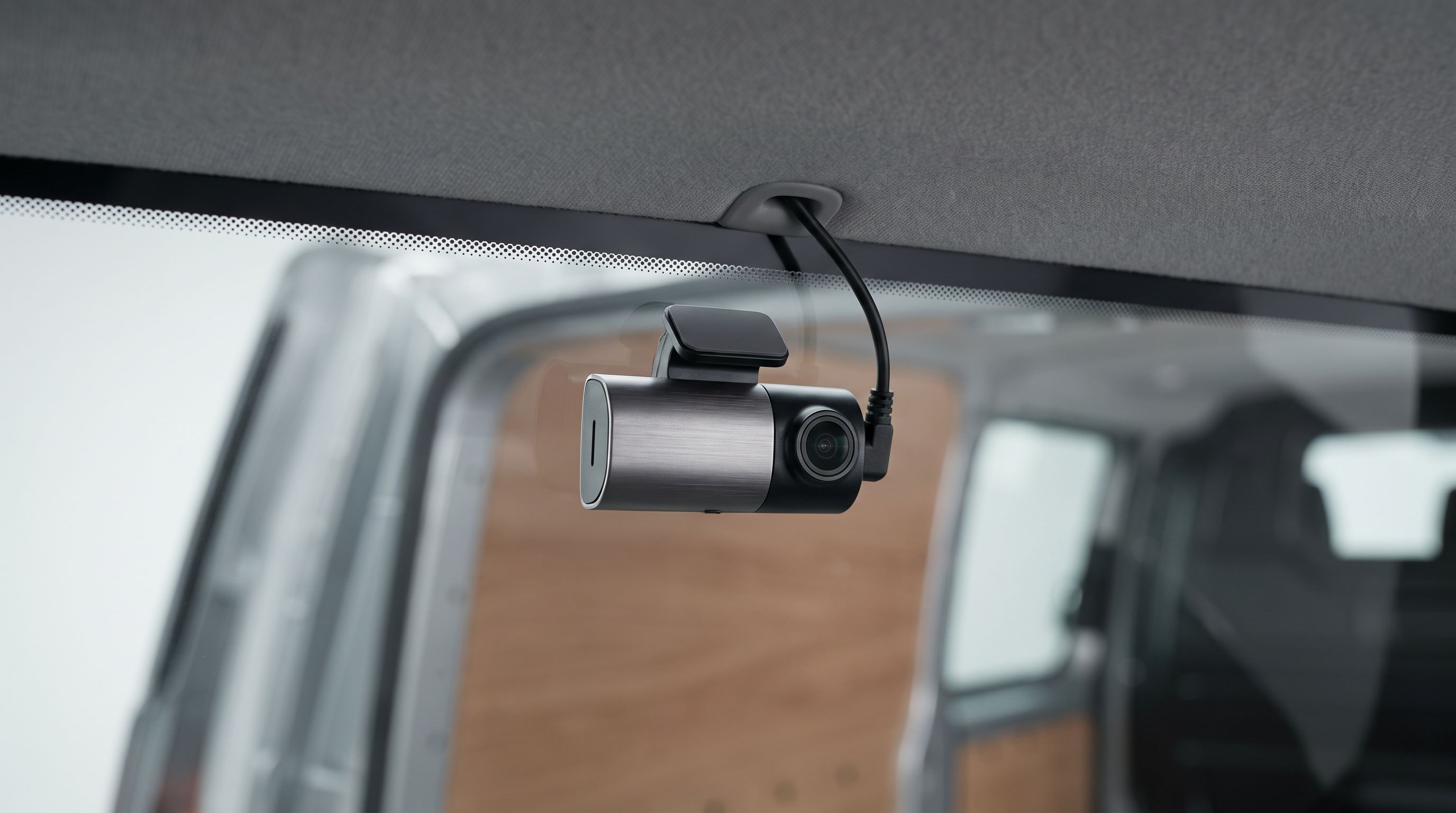
Reader-supported: we may earn a commission from links on this page, at no extra cost to you. It never affects our picks. Learn more.
Nothing derails a Saturday-morning dash cam install faster than discovering the rear camera cable is three feet short of the tailgate. It happens constantly, and it almost always happens to people with long vehicles — minivans, full-size SUVs, extended-cab pickups, camper vans — who bought a kit designed around a mid-size sedan.
The fix is boring but effective: measure the actual routed path before you order, and know which kits ship with enough cable (or sell a longer one that actually fits the connector). This guide compares bundled rear cable lengths and connector types across popular two-channel supercapacitor kits for 2026, then shows you how to work out the run for your own vehicle.
We researched these models using manufacturer specifications, published reviews, and verified owner feedback — we don't physically install every kit, so where cable lengths vary by production batch or region we say so.
The short version
- Best overall: Viofo A229 Pro 2CH
- Best for long vehicles: Viofo A329S 2CH
- Best three-channel option: Vantrue N4 Pro
- Premium pick: BlackVue DR970X-2CH Plus
- Best wire-free alternative: Garmin Dash Cam Live
 Best wire-free alternative · Garmin Dash Cam Live — Check price on Amazon →
 Premium pick · BlackVue DR970X-2CH Plus — Check price on Amazon →
 Best three-channel option · Vantrue N4 Pro — Check price on Amazon →
 Best for long vehicles · Viofo A329S 2CH — Check price on Amazon →
 Best overall · Viofo A229 Pro 2CH — Check price on Amazon →
Why the bundled cable is almost never the length you need
Dash cam makers quote a straight-line number — 6 m, 20 ft, 10 m — but you never route a rear cable in a straight line. A realistic install goes up the A-pillar, across the headliner, down or along the B- and C-pillars, through the tailgate grommet on a hatch or van, and then up to the glass. That path is routinely 30–60% longer than the distance you'd measure with a tape stretched down the middle of the cabin.
A few rules of thumb from owner reports:
- Compact and mid-size sedans: a 5–6 m (16–20 ft) bundled cable is usually comfortable, with slack to coil behind trim.
- Full-size sedans, wagons and mid-size SUVs: 6 m works, but you'll have very little spare. If the rear cam goes on the hatch glass rather than the fixed rear window, budget more.
- Minivans and full-size SUVs: this is the breaking point. Sienna, Odyssey, Carnival, Pacifica, Suburban and Transit-style vans frequently need 8 m or more once you factor in the tailgate loop. Sienna owners report the standard 6 m cable just barely reaches the top of the rear glass — fine if the camera sits there, tight or short if you want it lower or on a liftgate.
- Extended vans, box bodies, RVs and trucks with trailers: you're into 10–15 m territory, which is why some specialist suppliers sell kits with a choice of 10 m or 15 m runs rather than a fixed length.
The second trap: tailgates and liftgates move. Any cable crossing that gap needs a service loop so it flexes with the hinge instead of stretching. Plan on 12–18 inches of extra cable there alone, and route it through the factory rubber boot wherever one exists.
Connector types matter as much as length
If you need more cable, your options depend entirely on the connector the brand chose.
Mini-USB / Micro-USB style. Common on budget and mid-range two-channel kits. Easy to extend with an off-the-shelf cable, but longer runs can introduce signal problems, and the plug is bulkier to hide in trim.
Proprietary multi-pin. Several brands use their own rear-cam plug. You must buy the manufacturer's extension or replacement cable in the length you want — generic cables won't work. The upside is a slimmer, more reliable connector.
Coaxial. Used by BlackVue and increasingly by Viofo's newer models. Coax is thin, tucks beautifully into trim, and handles long runs well, which is exactly why it shows up in kits aimed at vans and trucks. Longer coax rear cables are widely stocked as accessories.
The practical takeaway: before you buy, confirm that a longer rear cable exists as a separate accessory for that exact model. A kit with a 6 m cable and a 10 m option is far safer for a van than a kit with an 8 m cable and nothing longer available.
Bundled rear cable comparison
Lengths below reflect what manufacturers list for current 2026 kits and what owners commonly report. Check the box contents for your region and batch — brands do quietly revise cable lengths.
| Model | Channels | Rear connector style | Typical bundled rear cable | Longer cable available? | Best body length |
|---|---|---|---|---|---|
| Viofo A229 Pro 2CH | 2 (front + rear) | Proprietary / coax-style rear link | Around 6 m (~20 ft) | Yes — Viofo sells longer rear cables | Sedan through mid-size SUV |
| Viofo A329S 2CH | 2 (front + rear) | Coaxial-style rear link | Around 6 m, with longer options listed | Yes — extended lengths sold separately | Sedan through full-size SUV / van with extension |
| Vantrue N4 Pro | 3 (front + cabin + rear) | Proprietary rear plug | Long run supplied for a 3-channel kit | Vantrue-specific extension required | Sedan through van |
| BlackVue DR970X-2CH Plus | 2 (front + rear) | Coaxial | Standard coax included | Yes — multiple coax lengths widely stocked | Sedan through van/RV |
| Garmin Dash Cam Live | 1 per unit (use two) | None — each unit powers independently | N/A | N/A | Any, including vans and trailers |
The picks
Viofo A229 Pro 2CH — best overall
Prices last checked October 27, 2026. Amazon prices change frequently, so treat these as a guide and check the live price before you buy.
Viofo A229 Pro 2CH
Supercapacitor 2-channel kit with a generous bundled rear cable and optional longer extensions.
The A229 Pro remains the sensible default two-channel supercapacitor kit in 2026: strong low-light footage from Sony STARVIS 2 sensors, reliable parking modes, and a rear cable long enough for the overwhelming majority of sedans, hatchbacks and crossovers. Supercapacitor power means no lithium cell cooking on a dashboard in August.
What it gives up: the bundled rear run is sized for normal cars, not vans. If you drive a Sienna, Odyssey or Suburban, order the longer Viofo rear cable at the same time rather than discovering the shortfall with your headliner already half out. It also wants a hardwire kit for proper parking surveillance, which is an extra purchase and an extra afternoon.
Viofo A329S 2CH — best for long vehicles
Viofo A329S 2CH
Newer 4K flagship with a coaxial-style rear link and extension cables sold for big SUVs and vans.
The A329S is Viofo's newer 4K flagship and the one to choose if cable length is your main constraint. It uses a slim coaxial-style rear link, which is both easier to hide in trim and better behaved over long runs, and Viofo lists extended rear cables as accessories. That combination is what makes it realistic for a minivan, full-size SUV or camper van where you need to cross a liftgate hinge.
What it gives up: it's a pricier, newer platform, and 4K on both channels pushes more data — you'll want a high-endurance card with headroom. Some owners also find the larger front body harder to hide fully behind a mirror on cars with small mirror shrouds.
Vantrue N4 Pro — best three-channel option
Vantrue N4 Pro
Front, cabin and rear in one supercapacitor kit, with a long rear run suited to larger bodies.
If you want front, cabin and rear — rideshare drivers, families, anyone wanting interior coverage — the N4 Pro handles all three in one supercapacitor unit. Because the rear channel on a three-channel kit is expected to reach the back of larger vehicles, the supplied rear run is generous, and it's a practical choice for a van or large SUV where a cabin camera also makes sense.
What it gives up: three channels means more routing work and more data per trip, and the rear connector is Vantrue-specific, so any extension must come from Vantrue. Cabin IR recording is useful but it's not a substitute for a dedicated rear 4K sensor.
BlackVue DR970X-2CH Plus — premium pick
BlackVue DR970X-2CH Plus
Cleanest two-box install with a slim coaxial rear cable and widely stocked longer replacements.
BlackVue's appeal for long-vehicle installs is the coaxial rear cable: thin, easy to tuck, and available in multiple lengths as standard accessories. Combined with the brand's famously discreet cylindrical bodies and polished cloud/app ecosystem, it's the cleanest-looking two-box install you can do in a van without the cable becoming a project in itself.
What it gives up: price, mainly, plus an ecosystem that rewards you for buying BlackVue's own hardwire kit and accessories. Video quality is very good but no longer categorically ahead of cheaper Viofo and Vantrue flagships, so you're paying for install elegance, cloud features and build quality rather than raw image advantage.
Garmin Dash Cam Live — best wire-free alternative
Garmin Dash Cam Live
Skip the rear run entirely by powering a second standalone cam near the glass.
Sometimes the right answer to "how long a rear cable do I need?" is "none." Running a second standalone camera near the rear glass — powered from a nearby 12 V point or hardwired locally — sidesteps the entire tailgate-hinge problem. Garmin's Dash Cam Live is compact, has LTE connectivity for remote viewing, and works well as a self-contained second unit in a van or RV where a 10 m run would be miserable.
What it gives up: two devices mean two power feeds, two memory cards, and no single synchronised front/rear file set. For insurance evidence, a true two-channel kit with time-locked front and rear clips is still cleaner.
How to choose
Measure the real routed path, not the car
Run a length of string along the exact path you intend to use: windshield mount, down or across the A-pillar, along the headliner edge, over the C-pillar, through the tailgate boot, and up to the camera position. Add 18 inches for the hinge service loop and another 12 inches of slack to coil behind trim. Compare that total to the bundled length — not the car's listed overall length.
Decide the rear camera's mounting position first
On a sedan, the rear cam usually goes high on the fixed back glass — short run, no moving parts. On a hatchback, SUV or van, mounting on the liftgate glass means crossing a hinge; mounting on the fixed headliner edge instead can save a metre of cable and all the flex hassle, at the cost of a slightly narrower view. Choose before you buy.
Confirm a longer cable exists for that exact model
Proprietary connectors are fine as long as the manufacturer sells the length you need. Search the accessory listings for your specific model number before ordering the kit. If no extension is listed, treat the bundled length as a hard ceiling.
Prefer supercapacitor power for heat and parking mode
Every kit here uses supercapacitors rather than lithium batteries, which is what you want for a camera that bakes behind glass and needs to survive years of parking-mode duty. Supercap cams rely on a continuous feed, so pair them with a proper hardwire kit and a voltage cutoff to protect your starting battery.
Don't cheap out on the memory card
Long two-channel recording is a brutal workload. Use a high-endurance microSD card sized for continuous loop recording, and format it in the camera periodically. Card failure, not cable length, is the most common reason a rear channel "stops working" months after install.
FAQ
How long is a typical dash cam rear camera cable? Most mainstream two-channel kits bundle roughly 6 m (about 20 ft). That's comfortable for sedans and most crossovers, tight for minivans and full-size SUVs, and inadequate for extended vans or RVs, where 10–15 m options are sold by specialist suppliers.
Can I use a generic USB extension for the rear camera? Only if the kit uses a standard USB-style rear connector, and even then longer runs can cause dropouts or a rear channel that won't initialise. Coaxial and proprietary multi-pin systems require the manufacturer's own cable. Buy the branded extension where one exists.
Does a longer rear cable hurt video quality? With coaxial links, properly specified long runs are generally fine — that's why they're used in van and truck installs. With cheap USB extensions, long runs are the most common cause of intermittent rear-camera errors. The connector type matters more than the raw length.
Should the rear camera go on the glass or the headliner? Glass gives the cleanest view and is standard on sedans. On vehicles with a liftgate, mounting at the fixed headliner edge avoids routing through the hinge and shortens the run, though a rear wiper and privacy tint can affect what you get either way.
Do I need a hardwire kit? If you want parking surveillance, yes. Supercapacitor cameras hold no meaningful reserve charge, so they need a constant feed from the fuse box with a low-voltage cutoff. For driving-only recording, the supplied 12 V adapter is sufficient.
What about vehicle fitment? Dash cams themselves are universal, but hardwire kits, fuse taps and trim tools are not. Check your vehicle's fuse box layout and fuse type (mini, micro2, low-profile) for your exact year, make and model before ordering a hardwire kit, and confirm whether your tailgate has a rubber routing boot.
Get the best car care deals in your inbox
Join the GarageProof newsletter for hand-picked car care deals and new buying guides. No spam, unsubscribe anytime.
Related reads
Cold Weather Dash Cam Picks for 2026 That Boot at −20°C
Supercapacitor dash cams that survive sub-zero mornings. We compare BlackVue, Viofo, Thinkware and Vantrue models on cold-rated specs and winter owner feedback.
Rear Dash Cam for Hatchback Rear Wiper: 2026 Mount Map
Rear wipers and defroster grids ruin rear dash cam placement. Our 2026 guide maps mount spots and cable routing by body style, plus four picks that fit.
Rear Dash Cam Through Tinted Window: Will Yours See in 2026?
Tinted rear glass can gut your dash cam's night footage. Here's how much light you lose, which rear-camera specs compensate, and 5 setups worth buying in 2026.