ABS SRS Code Reader 2026: Check Coverage Before You Buy
An ABS SRS code reader is only as good as its vehicle list. Here are the mid-tier scan tools worth buying in 2026 — and how to verify coverage for your car first.
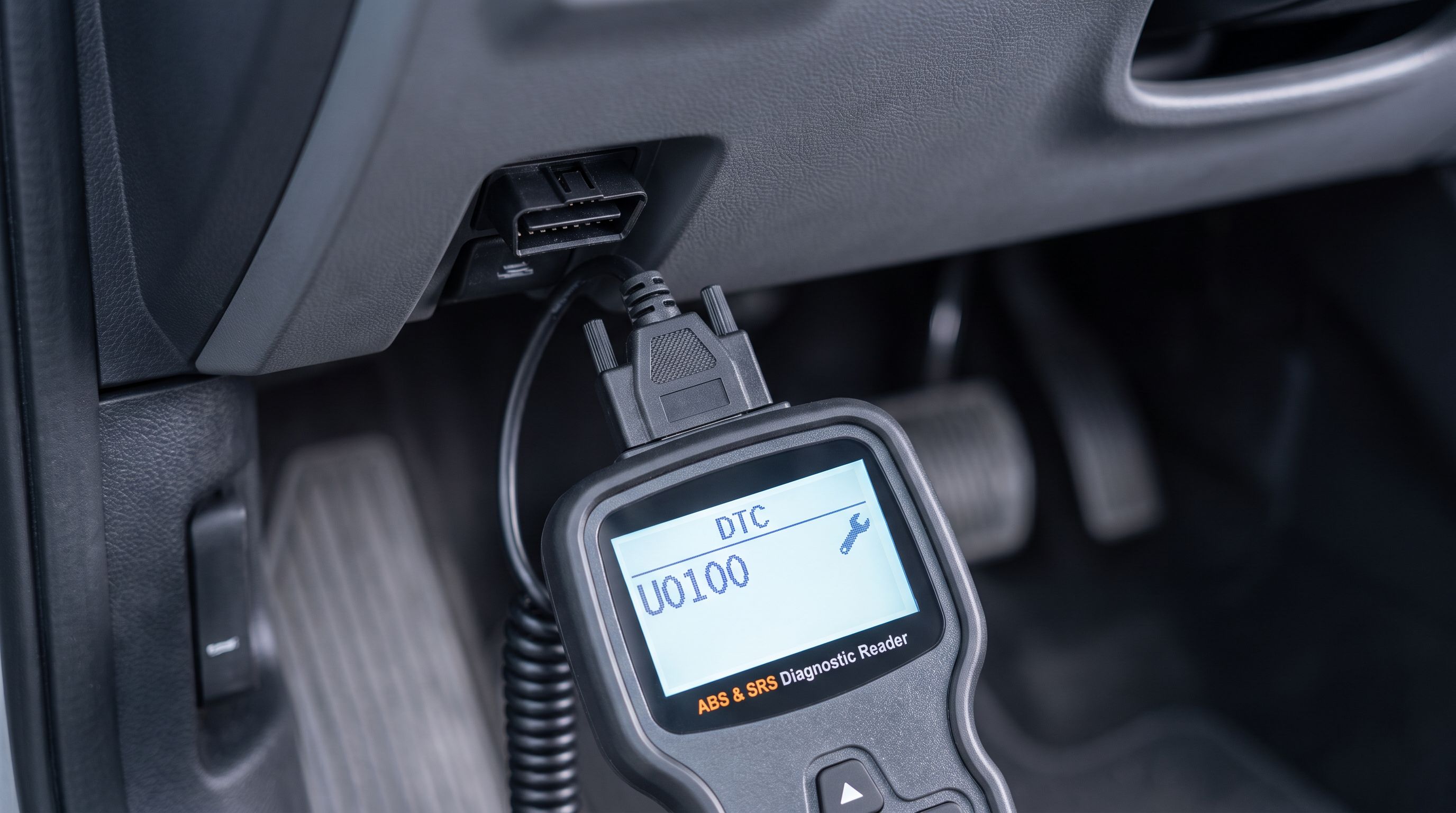
Reader-supported: we may earn a commission from links on this page, at no extra cost to you. It never affects our picks. Learn more.
Every generic OBD-II scanner on earth can read a check engine light. That's the law — all 1996-and-newer cars sold in the US expose the same standardized powertrain codes on pin 7 of the port. Your ABS and airbag modules are a completely different story. Those live on manufacturer-specific protocols, and a scan tool can only talk to them if the maker wrote code for your exact make, model, and year.
That's why "reads ABS and SRS" on a box means almost nothing by itself. The real question is: does it read ABS and SRS on my car? This guide covers the mid-tier tools worth your money in 2026, and — more importantly — how to confirm coverage before the box ships.
The short version
- Best overall: Autel MaxiCOM MK808S
- Best value all-system: Autel MaxiCheck MX900
- Best simple handheld: LAUNCH CRP123X Elite
- Budget pick: ANCEL BD310
- Best phone-based option: BlueDriver Bluetooth Pro OBDII Scan Tool
 Best phone-based option · BlueDriver Bluetooth Pro OBDII Scan Tool — Check price on Amazon →
 Budget pick · ANCEL BD310 — Check price on Amazon →
 Best simple handheld · LAUNCH CRP123X Elite — Check price on Amazon →
 Best value all-system · Autel MaxiCheck MX900 — Check price on Amazon →
 Best overall · Autel MaxiCOM MK808S — Check price on Amazon →
GarageProof researches and compares tools using manufacturer coverage documentation, independent reviews, and verified owner feedback. We don't physically test units — but we do read the fine print that marketing copy hopes you skip.
Why coverage lists matter more than feature lists
When a tool advertises "ABS/SRS support," it's describing a capability, not a guarantee. Three things vary by vehicle:
Make and model year. A tool might fully support Ford ABS from 2003 to 2024 but stop at 2018 for Ford SRS. European makes are frequently the weak spot on budget tools — VAG group, BMW, and Mercedes airbag modules often require manufacturer-specific routines. Asian and domestic makes usually have the deepest budget-tool coverage.
Depth of access. Reading a stored code is the easy part. Clearing it, viewing live wheel-speed data, running an ABS pump bleed, or performing an airbag module reset are progressively harder, and each is a separate coverage checkbox. Plenty of tools will read your SRS code and then refuse to clear it.
Crash data vs. fault codes. No consumer-level tool will clear hard crash data from a deployed airbag module. If your SRS light came on after a collision, the module itself usually needs replacement or professional reset — a code reader will show you the fault but can't undo it. Treat any product claiming otherwise with suspicion.
Also note a real limitation flagged across 2026 listings: many tools state support for "2025 and older" vehicles, with brand-new 2026 model years pending a software update. If you're diagnosing a current-year car, check that the manufacturer has already pushed 2026 coverage.
How to check coverage for your make — before you buy
Do this in ten minutes and you'll avoid 90% of scan tool disappointment.
- Find the manufacturer's coverage lookup tool. Autel, LAUNCH, Innova, and BlueDriver all publish searchable vehicle coverage databases on their official sites. Enter your year, make, model, and often engine. Don't use the Amazon listing — those get copy-pasted and go stale.
- Check the specific systems, not just the car. A good lookup will show per-system results: Engine ✓, Transmission ✓, ABS ✓, SRS ✗. That last column is the one that matters here.
- Verify your market. A 2019 Corolla built for North America and one built for Europe can use different modules. Coverage lists are usually region-specific.
- Search owner forums for your platform. Model-specific forums are the fastest sanity check. Search "[tool name] + [your chassis code]" and you'll find out within a page whether it actually connects.
- Confirm the update policy. Lifetime free updates versus a paid annual renewal changes the long-term math considerably, especially if you plan to keep the tool for several years and work on newer cars.
How to choose
All-system scanning vs. four-system scanning
"Four-system" tools cover engine, transmission, ABS, and SRS — the four modules behind the warning lights most owners actually chase. That's enough for the vast majority of DIY work. "All-system" tools go further: body control, HVAC, instrument cluster, steering angle sensor, TPMS, immobilizer-adjacent modules, and so on. If you only ever need to chase an ABS light on a 2014 Accord, four-system is fine and cheaper. If you own a European car, a modern truck full of driver-assist modules, or you work on friends' cars, all-system saves you from buying twice.
Bi-directional control and active tests
Reading codes tells you what the module complained about. Bi-directional control lets you command components directly — cycle the ABS pump, activate a solenoid, run a cooling fan — so you can tell a bad part from a bad wire without guessing. For ABS work specifically, the killer feature is automated ABS bleeding, which is essentially mandatory if you've opened the hydraulic system on a car with an electronic brake module. If brake work is in your future, prioritize this over screen size.
Live data and graphing
An ABS light with no stored code is usually an intermittent wheel speed sensor. The only efficient way to find it is to watch all four wheel-speed PIDs live while driving or spinning the wheels, and look for the one that drops out. Tools that graph multiple PIDs simultaneously turn a multi-hour diagnosis into a ten-minute one. Check that the tool supports enhanced live data from the ABS module, not just generic powertrain PIDs.
Updates, subscriptions, and hardware longevity
Scan tools age like phones. Cheap handhelds often get a few years of updates then go quiet; tablet-style tools typically bundle one or two years of updates and then ask for renewal. Decide up front whether you want a sealed, do-one-thing device you'll never update, or a platform you'll keep current. Neither is wrong — but a tool that's two update cycles behind will fail on the newest car in your driveway.
Form factor: handheld vs. dongle-plus-phone
Dedicated handhelds boot instantly, don't drain your phone, and survive garage life. Bluetooth dongles that pair with an app give you a bigger screen, easier screenshots, and better repair databases — but depend on app support continuing and on your phone's battery. For shop-adjacent use, handheld wins; for occasional driveway diagnosis and used-car inspections, a dongle is more convenient.
Comparison
| Tool | Type | System depth | Bi-directional / active tests | Best for |
|---|---|---|---|---|
| Autel MaxiCOM MK808S | Android tablet-style | All-system | Yes, incl. service functions | Serious DIY and multi-car households |
| Autel MaxiCheck MX900 | Compact tablet | All-system | Yes | Best capability-per-dollar |
| LAUNCH CRP123X Elite | Handheld, Wi-Fi updates | Engine, trans, ABS, SRS | Limited | Warning-light diagnosis, no subscriptions |
| ANCEL BD310 | Pocket handheld / gauge | ABS & SRS on supported vehicles | No | Light-duty, low budget, daily driver monitoring |
| BlueDriver Pro | Bluetooth dongle + app | Enhanced incl. ABS/SRS on many makes | No | Phone-first users, used-car inspections |
Autel MaxiCOM MK808S — best overall
Prices last checked October 26, 2026. Amazon prices change frequently, so treat these as a guide and check the live price before you buy.
Autel MaxiCOM MK808S
Bi-directional tests plus broad ABS/SRS coverage and 28+ service resets on a tablet-style tool.
The MK808S is the tool most DIYers end up wishing they'd bought first. It's a tablet-format, all-system scanner with bi-directional control, meaning it can actively command components rather than just read faults — including ABS-related active tests on supported vehicles. It also carries a large bank of service functions (oil reset, EPB, SAS, BMS, throttle relearn and more), which is where a lot of its real-world value sits.
What it gives up: it's the largest and priciest option here, it's overkill if you only need an airbag code read once a year, and advanced functions still vary by make — verify your vehicle in Autel's coverage lookup, particularly for European models and 2026 model-year cars.
Autel MaxiCheck MX900 — best value all-system
Autel MaxiCheck MX900
Full-system scanning across ABS, SRS, transmission and body modules with active tests at a mid-tier price.
The MX900 is the sweet spot for most people reading this. You get genuine all-system scanning — ABS, SRS, transmission, body, and other modules — plus active tests and a healthy set of maintenance service resets, in a smaller, cheaper package than the flagship tablets. For someone chasing an ABS light on a daily driver and occasionally doing brake or battery work, it covers nearly everything without stepping up to professional pricing.
The trade-offs: a smaller screen than the MK808S, a less expansive service function list, and the same caveat about verifying your exact year and make. Owner feedback is consistently strong on domestic and Asian vehicles; check carefully before counting on it for newer European platforms.
LAUNCH CRP123X Elite — best simple handheld
LAUNCH CRP123X Elite
Four-system handheld (engine, transmission, ABS, SRS) with Wi-Fi updates and no subscription.
If you don't want a tablet, an app, or a subscription, the CRP123X Elite is the clean answer. It's a dedicated handheld that reads and clears codes across the four systems that produce dashboard warning lights — engine, transmission, ABS, and SRS — with live data, a color screen, and Wi-Fi updates handled on the device itself. LAUNCH's broader CRP123 family (including the V3.0 Elite) shows up repeatedly in 2026 round-ups for exactly this reason: it does one job well.
What it gives up: no bi-directional control, no ABS bleed, and no body-module access. It diagnoses; it doesn't command. For many owners that's precisely the right amount of tool.
ANCEL BD310 — budget pick
ANCEL BD310
Pocket-size reader that handles ABS/SRS on supported vehicles and doubles as a plug-in gauge display.
The BD310 is a pocket-sized reader that handles ABS and SRS codes on supported vehicles and doubles as a plug-in gauge display for live parameters while you drive — handy for spotting an intermittent fault without hauling a tablet around. It's the cheapest sensible way into airbag and brake-module codes.
The compromises are real. Coverage is the narrowest of this group, the tiny screen makes live-data work tedious, and there's no bi-directional capability at all. Check ANCEL's vehicle list for your exact make and year before buying — budget tools are where coverage gaps bite hardest, especially on European cars and anything newer than a couple of model years.
BlueDriver Bluetooth Pro OBDII Scan Tool — best phone-based option
BlueDriver Bluetooth Pro OBDII Scan Tool
App-based dongle with enhanced ABS/SRS coverage on many makes plus strong repair-report database.
BlueDriver's dongle pairs with an iOS or Android app and delivers enhanced diagnostics — including ABS, SRS, and transmission codes on a wide range of makes — alongside its standout feature: repair reports that connect a code to verified fixes reported on similar vehicles. For used-car inspections, it's unbeat; it lives in a glovebox and gives you a full-system read in minutes.
What you give up: no bi-directional control, dependence on your phone and the app's continued support, and enhanced coverage that is genuinely make-dependent. Check the supported-vehicle list on BlueDriver's site for your make before you assume ABS and SRS are included.
A realistic workflow for an ABS or airbag light
- Scan all modules, not just the one that's lit. ABS faults frequently trip from low battery voltage or a bad ground, and the fingerprint shows up elsewhere.
- Record freeze-frame and live data before clearing anything. Clearing codes destroys evidence.
- Clear, then drive and re-scan. A code that doesn't return was likely a one-off voltage event; one that returns immediately is a hard fault.
- For ABS: compare all four wheel-speed signals while rolling. The outlier is your sensor or its tone ring.
- For SRS: check connectors under the seats first. Seat-position and occupancy sensor connectors are the single most common DIY-fixable airbag fault, and they get kicked loose by passengers and vacuum cleaners.
- Know when to stop. Airbag deployment data, pyrotechnic seat belt pretensioners, and anything involving a deployed module belong with a professional.
FAQ
Can any OBD-II scanner read ABS and airbag codes? No. Generic OBD-II is standardized for emissions-related powertrain codes only. ABS and SRS live on manufacturer-specific protocols, so the tool must explicitly support your make, model, and year.
Can a code reader clear an airbag light? Sometimes. If the fault is a soft code — a loose connector, a seat sensor, a low-voltage event — a supported tool can clear it once the underlying issue is fixed. Hard crash data stored after deployment generally cannot be cleared by any consumer tool.
Why does my scanner read engine codes but not ABS on my car? Because enhanced coverage is written per-vehicle. Your tool simply may not have the protocol for your ABS module. Check the manufacturer's online coverage lookup for your exact year and model.
Do I need bi-directional control? Only if you plan to do work beyond diagnosis — especially brake hydraulic work that requires an automated ABS bleed, or component testing where you need to command a part on and off. For reading and clearing warning lights, it's optional.
Will these tools work on a brand-new 2026 vehicle? Check first. Several current tools explicitly state support for 2025-and-older vehicles, with newest-model-year coverage added via software updates. Confirm the manufacturer has released 2026 coverage for your make.
Is a subscription required? It depends on the tool. Some handhelds include free lifetime updates; tablet-style tools typically bundle a period of updates and then offer paid renewal. The tool keeps working after the subscription lapses — it just stops gaining new vehicles and functions.
Get the best car care deals in your inbox
Join the GarageProof newsletter for hand-picked car care deals and new buying guides. No spam, unsubscribe anytime.
Related reads
Prime Big Deal Days OBD2 Scanners: Which Tier Is Worth It
Prime Big Deal Days runs October 6–7, 2026. Here's how to judge prime day OBD2 scanner deals by capability tier — code reader, live data, or bidirectional.
Brake Fluid Tester 2026: Pens vs Strips, Honestly
Brake fluid tester guide for 2026: how electronic moisture pens and chemical test strips differ on DOT 3/4/5.1 fluid, plus five picks and how to read results.
Car Battery Load Tester 2026: AGM and Mild-Hybrid Traps
A car battery load tester has to match your chemistry. Compare conductance analyzers for AGM, EFB, lithium and 48V mild-hybrid systems in 2026.